
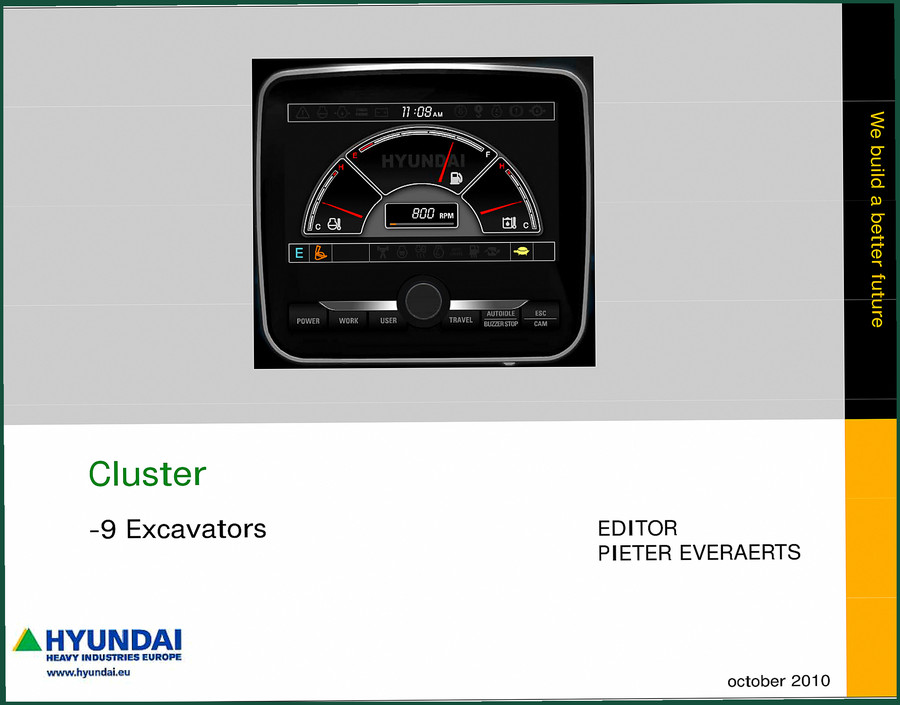
Hyundai 9 Excavators 2010 Training Manual – Factory Specs
Original price was: $59.20.$40.00Current price is: $40.00.
Factory-certified 2010 Training Manual for Hyundai 9 Excavators. 34 pages covering cluster modes, menu programming, and ECU logic parameters.
Description
Hyundai 9 Excavators 2010 Training Manual – Cluster Modes and Configuration
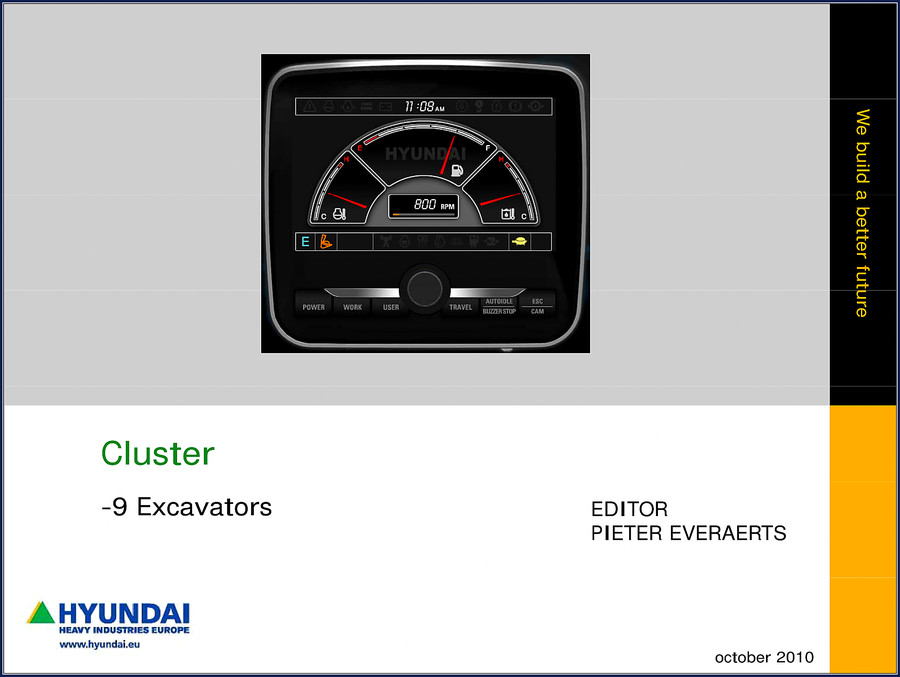
You’ve got an Hyundai 9 Excavators 2010 Training Manual sitting in front of you. That’s 34 pages of factory-issued instruction on how the cluster talks to the ECU, how the work modes are set up, and how to get the machine to behave when the operator complains about power curves. I’ve seen too many guys pull a generic aftermarket wiring diagram and start swapping joystick position sensors because they don’t understand the ESX control logic. That wastes billable hours and risks a hydraulic spike that costs you a pump. This manual stops that nonsense cold.
Cluster Modes and Setting Configuration
Page 3 breaks down the four operator-selectable modes: E, P, U, and WORK. Each one changes how the engine and pump respond to joystick stroke and pump load. The E mode is the default – it’s for fuel saving and smooth control on precise jobs. P mode is the normal digging mode, no extra configuration needed. U mode has to be configured through the menu-cluster before first use, or the machine won’t let you select it. The WORK mode button also needs initial setup if you’re running a breaker or crusher attachment. If you skip that step, the button does nothing. I’ve seen that on a job site. The technician spent two hours replacing a switch that wasn’t broken.
ESX Override: When the Control Unit Locks You Out
The ESX control module governs the power curves. If the machine keeps dropping to E mode no matter what the operator presses, you need to check the INITIAL mode configuration in the menu. The manual walks you through the exact sequence to set that. It’s not in the operator’s handbook. This training manual covers it because Hyundai wants technicians to know how the CPU manages joystick lever stroke (PS’s) and pump load. No guesswork – just the factory steps.
5 Menu Groups Explained
Page 5 shows the overview of five menu groups: Mode, Monitoring, Manage, Display, Utilities. The cluster menu structure is the same across the 9 Excavators series. If you’re diagnosing a CAN bus fault or a fuel consumption discrepancy, you go straight to Monitoring. The Manage group lets you adjust auto-deceleration and travel speed. Utilities handles the buzzer stop, ESC, and camera settings. Knowing these groups saves you from scrolling through twenty submenus blind. The manual lays out the hierarchy clearly – something you won’t get from a third-party copy.
7 Systems Covered – But Focus on What Matters
Because this is a training manual, it doesn’t reprint the entire service manual. It targets the cluster and its interaction with the ECU, pump controller, and joystick sensors. You still need the full shop manual for mechanical torque specs and hydraulic disassembly. But if you’re dealing with a power mode that won’t change, a work mode button that doesn’t respond, or a cluster that shows the wrong language, this 34-page document is your first step. I recommend pairing it with the Hyundai -9 Excavators Mechatronics & Electrics Training for a complete electrical understanding.
Why OEM Training Manuals Beat Aftermarket
The PDF you’re buying is a direct scan of the original October 2010 Hyundai Heavy Industries Europe document. It’s not a reprint from a third-party manual aggregator that OCR’d the text and lost the diagrams. The cluster menu flowcharts are intact. The text matches the factory training center’s lesson plan – I can tell from the “HHIE TRAINING CENTRE” watermark on page 5. When a manufacturer trains its own techs, the language is exact. Aftermarket documentation skips the “why” and gives you a simplified diagram that omits the ESX override procedure. That’s how you end up with a bricked controller. This manual is the real thing.
If you’re working on a Hyundai Wheel Loaders -9 Series Training Manual – Section: Pump Flow Check alongside, note the pump flow test procedure references the same cluster pressure readings. Cross-referencing the two manuals gives you a complete hydraulic + electronic diagnostic path. Also, the Hyundai Air Conditioning System Training Manual covers a different subsystem, but the cluster still reports evaporator temperature – the menu structure is consistent across models.
For broader context on electronic control units in heavy equipment, the Automotive Industry Overview discusses how CAN bus networks have evolved. But for this specific machine, the OEM manual is all you need. The Manual Transmission topic is irrelevant here – don’t get distracted.
One last thing: do not attempt to configure the WORK mode button without verifying the attachment type in the menu. The manual warns, “needs to be configured in the menu-cluster before first use (if not, breaker mode cannot be selected by the WORK mode button).” That’s on page 3. I’ve watched a tech ignore that line and blow a breaker seal because the machine deadheaded. Read the manual, set the mode, then test.
- Does this manual cover the R210LC-9 model?
- Yes. The cluster programming for the 9 Excavators series is identical across models. The manual references the 9 series generically, but the menu groups and ESX settings apply to the R210LC-9, R250LC-9, R290LC-9, and R350LC-9. No model-specific differences in the cluster logic.
- What torque values are listed?
- None. This is a training manual, not a service manual. It covers electronic configuration only. For torque specs you need the main shop manual.
Bottom line: if you’re troubleshooting a cluster or mode issue on a Hyundai 9 Excavator, this manual is your diagnosis shortcut. Access the Factory Manual from AutoRepairManuals and keep it on the tablet in the cab. It’ll pay for itself the first time you fix a power mode problem in twenty minutes instead of three hours.
Additional information
| Brand | Hyundai |
|---|---|
| Language | English |
3 reviews for Hyundai 9 Excavators 2010 Training Manual – Factory Specs
Only logged in customers who have purchased this product may leave a review.
You may also like…
-
Sale!
Hyundai HDF15-5, HDF18-5 Service Manual – 227 Pages
Original price was: $61.65.$45.00Current price is: $45.00. -
Sale!
Hyundai HD65, HD72, County Training Manual – A/C Diagnostics
Original price was: $65.00.$50.00Current price is: $50.00. -
Sale!
Hyundai HDF50III, HDF70III Service Manual – Factory Repair Specs
Original price was: $70.20.$45.00Current price is: $45.00.
Related products
-
Sale!

2011 Parts Catalog – International 7400 SFA 6X6 – 1886 Pages of OEM Part Numbers
Original price was: $32.00.$25.00Current price is: $25.00. -
Sale!

International 1000-3000 Series Operators Manual – 132 Pages of OEM Specs
Original price was: $14.40.$10.99Current price is: $10.99. -
Sale!
1992 Electrical Schematic – International 1000/3000/4000/2554 OEM Wiring Diagrams (132 Pages)
Original price was: $26.40.$20.00Current price is: $20.00. -
Sale!

2011 Parts Catalog – International Truck OE Parts Documentation (1786 Pages)
Original price was: $34.50.$25.00Current price is: $25.00.
William H. –
I am very pleased with this transaction. Quick access after checkout. A must-have for any Hyundai 9 owner doing repairs. Saved my weekend project! Thanks.
workshop_guy –
Superb resource! The pages are clean and easy to navigate. Contains detailed bolt torque specs for Hyundai. Saves me so much time.
Michael T. –
Highly recommended! Instant access after checkout process. It assisted me to rebuild my Hyundai 9 electrical system. I will recommend this shop to others.