
VW/Audi 2013 Technical Manual – Diagnostic Software Factory Specs
Original price was: $43.80.$30.00Current price is: $30.00.
Factory diagnostics for 2013 VW/Audi: Fuel control, testing, expert mode. 178 pages, OEM-sourced data.
Description
Volkswagen/Audi 2013 Technical Manual – Factory Diagnostics for VW & Audi
You got a VW or Audi in the bay, check engine light on, fuel trims out of whack. You grab a generic scanner, get a code – now what? The scanner doesn’t tell you what the adaptation values should be. It doesn’t show you how to access the fuel control learning parameters. That’s where this Volkswagen/Audi 2013 Technical Manual comes in. 178 pages of actual Snap-on diagnostic software procedure – not a third-party rewrite. This is the factory-level documentation that techs at the dealership use. The manual covers the Vehicle Communication Software that lets you talk to every module on the bus, from the engine ECU to the ABS controller.
Safety Information – It Applies to You
First thing in this manual: Safety Information. Page 3 starts with a warning that’s worth reading twice. It reminds you that this product is for trained professionals, and that you need to understand the system before testing. I’ve seen guys fry a $2,000 ECU because they ignored a warning about key-off current draw. The manual doesn’t sugarcoat – it tells you to use the manufacturer’s own test procedures alongside this software. For the home garage guys: don’t skip this section. A wrong connection can damage the vehicle’s electronics, and a generic OBD tool won’t warn you. This manual will.
Volkswagen/Audi Volkswagen, Audi 2013 Technical Manual – What’s Inside
Here’s what you get across 178 pages: Operations, Expert Mode, Testing, Data Parameters, Fuel Control Learning Adaptation Values, and Troubleshooting. Each chapter is a step-by-step walkthrough of the diagnostic software interface. No fluff – just the commands, the expected responses, and the values you should see. For example, the Operations chapter walks you through establishing communication with a VW Golf or Audi A4. The Expert Mode section is where you unlock functions like coding and adaptations that generic tools lock out. Need to reset the fuel trims after a throttle body replacement? That’s in Data Parameters.
Expert Mode vs. Standard Operations
Standard mode gets you through a basic scan. But for real diagnostics – like forcing a DPF regeneration or adjusting the idle speed on a 2.0T – you need Expert Mode. This manual dedicates several pages to Expert Mode navigation, including how to protect yourself from writing incorrect values. A buddy of mine once sent a customer’s 2013 Passat into limp mode by changing a coding byte without checking the manual. Don’t be that guy. The manual lists every parameter you can change and what the factory default should be.
Testing and Data Parameters: Fuel Control Adaptation
The Fuel Control Learning Adaptation Values chapter is worth the price alone. If you’ve ever looked at a live data screen full of numbers and wondered which ones matter, this chapter tells you. It explains the adaptation process for short-term and long-term fuel trim. It lists the acceptable range for each Audi and VW model covered. The manual also shows how to initiate learning after a repair – for example, after replacing an oxygen sensor. Get the wiring diagram right before you start.
For context on how these diagnostic tools fit into the broader industry, check the Automotive Industry Overview. If you’re curious about the powertrain side, the Manual Transmission article provides background, though this manual focuses on electronic control rather than mechanical systems.
Why Use a Factory Technical Manual from Snap-on?
Here’s the truth: Aftermarket diagnostic manuals copy the factory procedures but often skip the fine print – the torque values, the adaptation steps, the exact PID responses. This manual comes from Snap-on, the tool company that supplies dealerships. It’s the same software documentation that Snap-on includes with their scan tools. You’re not getting a reprint of someone’s notes; you’re getting the original 2013 manual that Snap-on published for their VW/Audi communication software. The Terms and Acronyms section alone clears up confusion between terms like adaptation vs. coding. No guesswork.
Troubleshooting – Not Just Code Reading
The Troubleshooting chapter addresses common communication faults: no response from module, invalid data stream, or locked control units. It gives you the step-by-step procedure to verify wiring, check voltage at the DLC, and confirm the tool’s configuration. If you’ve ever wasted an afternoon because the scan tool wouldn’t talk to a 2013 Audi Q5, you know how valuable this is. The manual even includes a flow chart for diagnosing a no-communication condition on the CAN bus.
Related Manuals
- VW Audi Radio Navigation System Design and Function Training Manual
- Drogobych Crane KTA-16/25/28 2004 Installation Manual – Section: Общие Указания
- MODULOS DISPONIBLES PARA EL MULTIEQUIPO CJ EURO
- Is this manual for the repair of mechanical components?
- No, it focuses on diagnostic software operations.
- How do I use the Fuel Control Learning Adaptation Values from this manual?
- First, navigate to the Data Parameters section of the diagnostic software using the steps in the manual. Select the engine control module. Look for the parameter titled ‘Fuel Control Learning Adaptation Values’ – it will display current long-term fuel trim for bank 1 and bank 2. Compare those numbers to the factory ranges listed on the manual’s chart. If a value exceeds the limit, the manual tells you to check for vacuum leaks, faulty injectors, or MAF sensor issues. After repairing, follow the manual’s procedure to reset the adaptation values and run the engine through a drive cycle to verify the trims return to normal. This process is detailed over several pages in the Fuel Control chapter, with safety warnings about working near hot exhaust components.
If you’re serious about diagnosing VW and Audi vehicles the right way, access the Factory Manual from AutoRepairManuals. It’ll save you calling the dealer for specs.
Additional information
| Brand | Volkswagen/audi |
|---|---|
| Language | English |
2 reviews for VW/Audi 2013 Technical Manual – Diagnostic Software Factory Specs
Only logged in customers who have purchased this product may leave a review.
You may also like…
-
Sale!

Acura Integra 1998 Service Manual – 1891 Pages Factory OEM Documentation
Original price was: $31.75.$25.00Current price is: $25.00. -
Sale!

Acura NSX 1991 Service Manual – 1420 Pages OEM
Original price was: $102.05.$65.00Current price is: $65.00. -
Sale!
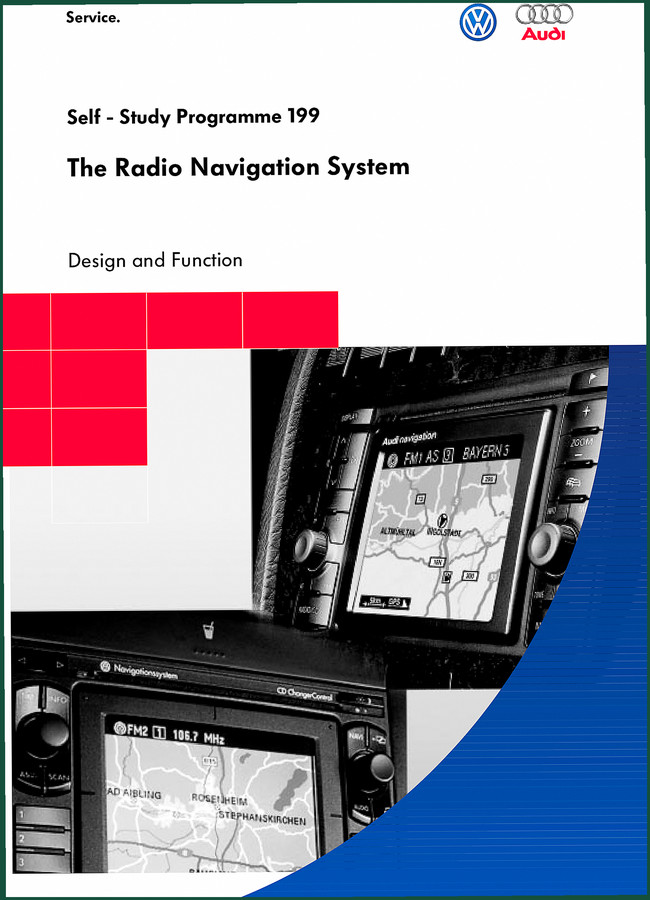
VW/Audi Radio Navigation & Plus Navigation Training Manual – 44 Pages
Original price was: $43.80.$30.00Current price is: $30.00. -
Sale!

CDS 705C, 706C, 708C 1981 Parts Catalog – OEM Forklift Specs
Original price was: $61.60.$40.00Current price is: $40.00.
Related products
-
Sale!

1992 Electrical Schematic – International 1000/3000/4000/2554 OEM Wiring Diagrams (132 Pages)
Original price was: $26.40.$20.00Current price is: $20.00. -
Sale!
International 1000-3000 Series Operators Manual – 132 Pages of OEM Specs
Original price was: $14.40.$10.99Current price is: $10.99. -
Sale!
1992 Electrical Schematic – OEM Wiring Diagrams for International 1000-3800
Original price was: $24.48.$18.00Current price is: $18.00. -
Sale!
1993 Operators Manual – International Bus 1000-3000 OEM Specs
Original price was: $12.30.$7.99Current price is: $7.99.
pro_mechanic –
Great buy! The PDF quality is excellent. A must-have for any Volkswagen/audi 2013 DIYer doing repairs. Great value for money.
gearhead88 –
Great buy! Quick access after payment. Contains precise bolt torque specs for Volkswagen/audi. Saved my repair job! Thank you.