
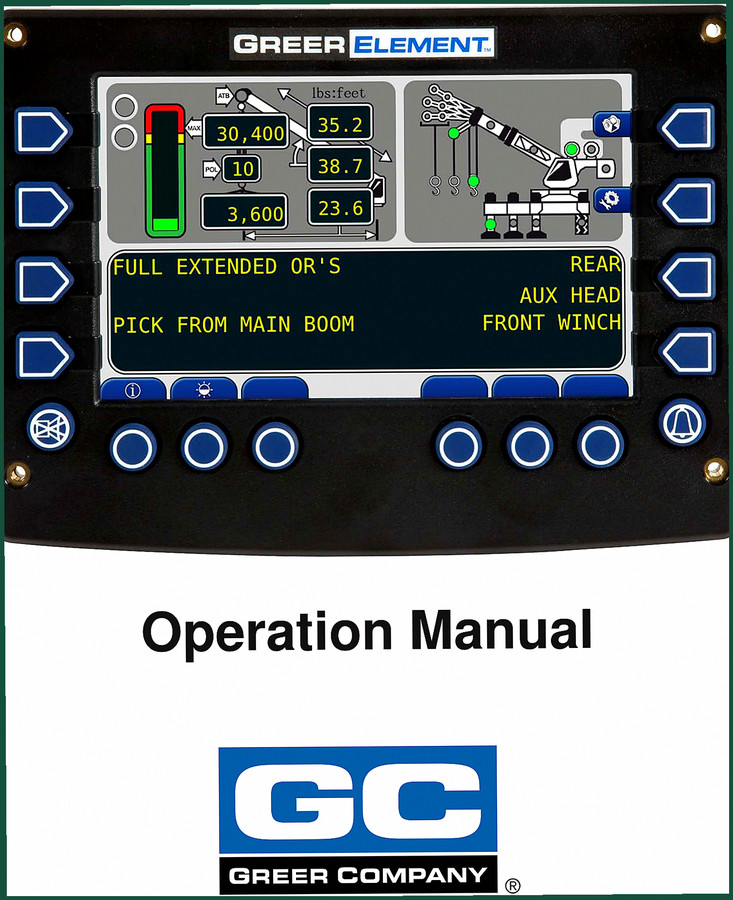
Greer Greer Element Operators Manual – 30-Page Factory Reference
Original price was: $13.85.$10.99Current price is: $10.99.
Factory-spec Greer Element Operators Manual. 30 pages covering start-up, LMI setup, outriggers, winch, and overload indicators. No reprints.
Description
Greer Greer Element Operators Manual
If you’re running a crane or boom truck with a Greer Element load moment indicator, you need the Greer Greer Element Operators Manual on the machine. This 30-page factory booklet is what the manufacturer ships with the system — not a reprint, not a third-party rewrite. It walks you through every menu on the display: from the Power-On Self-Test on page 5 to the Home Display screens starting page 16. I’ve seen guys try to guess the configuration for outriggers or boom mode and end up with false overload alarms. That costs time and risks a dropped load. This manual kills the guesswork.
Why OEM Documentation Matters for Load Indicator Systems
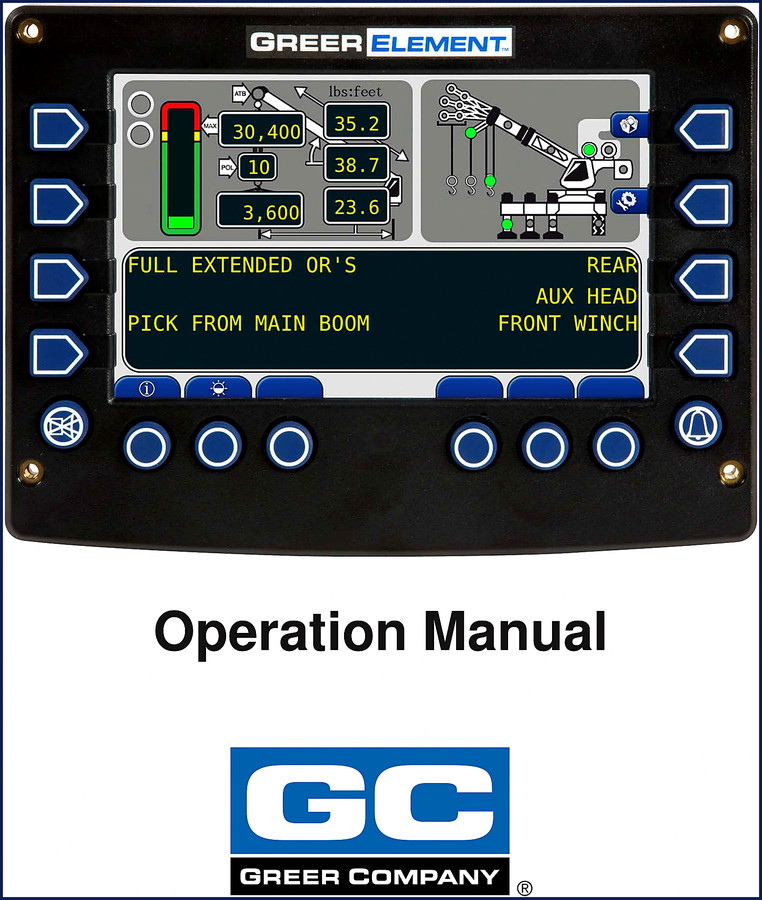
Aftermarket manuals skip details. I pulled an aftermarket “operator guide” for a competitor’s system once — it didn’t even mention the Anti-Two-Block indicator wiring. The Greer factory manual devotes a full subsection to the Anti-Two-Block Indicator on page 19, plus the bar graph and rated capacity displays. The OCR excerpt from the manual shows actual data: MAX 35.2, 30,400, POL 10. Those are real parameters you set during startup. Without OEM specs, you’re flying blind. I’ve been turning wrenches 28 years, and I don’t trust anything that isn’t stamped by the manufacturer.
30 Pages of Factory Specs
Three sections cover the system: Outline of Operation (page 3), System Setup (page 6), and The Home Display (page 16). Setup alone covers the Frame-Level Screen, Configuration Display (with submenus for Outriggers, Home Button, Pick, Parts of Line, Auxiliary Head, Jib, Boom Mode, Stowed Jib, Counterweight, Winch, Tires — all on pages 9–15). The Home Display section gives you Brightness, Information, Actual Load, Parts of Line, Pre-Alarm Indicator, Overload Indicator, Bar Graph, Rated Capacity, Anti-Two-Block Indicator, and Length Display. That’s every screen a Greer Element operator needs to understand.
Does This Manual Cover the Outrigger Configuration?
Yes. Page 9 walks you through the Outriggers submenu in the Configuration Display. If your machine has frame-leveling outriggers, you’ll find the exact sequence to tell the system whether they’re extended or retracted. Set it wrong and the load chart shifts. The manual also covers the Pick screen (page 10) — that’s where you define whether you’re picking from the main boom, auxiliary head, or jib. I’ve seen a guy try to lift 30,400 lbs with the pick set to the wrong attachment. The overload alarm saved him, but he lost an hour flipping through binders. This manual would have fixed it in two minutes.
Audience: Who Needs This Manual?
Home garage enthusiasts won’t touch a crane load indicator. But if you own or operate a Greer-equipped boom truck, crane, or aerial lift, you need this. The manual is written for the operator — not for a mechanic tearing down the system. It assumes you can read a display and push buttons. No wiring diagrams, no torque specs — that’s a separate service manual. The Greer Insight Operating Manual covers a different system; don’t mix them up. For the Greer Element, this is the only factory operators manual. Pair it with the Greer BA590/591 Angle Indicator System Operator’s Manual if your machine has an angle sensor. And if you’re training new operators, grab the Greer MG500 RCI 510 434 MG586 2002 Training Manual for classroom content.
Get the Right Configuration Before Lifting
Before you power on the Greer Element, have this manual next to the seat. The Power-On Self-Test (page 5) checks the display and sensors. The Start Up Screen (page 5) shows you the system version. Then you go into System Setup. Set your Parts of Line (page 11) — wrong pulley reeving changes the load calculation. Set your Jib configuration (page 12) — stowed or deployed. Boom Mode (page 13) gives you main boom only or with jib. Counterweight (page 14) must match what’s bolted on. Tires (page 15) affect ground bearing pressure. Miss any of those and the rated capacity display on page 18 shows wrong numbers. I’ve seen it. Not pretty.
FAQ
- Can I use this manual to repair the Greer Element circuit board?
- No. This is an operator’s manual. It covers display setup and interpretation, not internal electronics repair. You need the service manual for board-level work.
- What if my machine has a different model number — can I still use this manual?
- The Greer Element is a specific load indicator product line. If your display shows “Greer Element” at startup, this manual applies. If you’re unsure, compare the TOC to your system menus. The Configuration Display layout matches pages 9–15 exactly. Some machines may have a newer firmware revision that adds a menu item not listed here, but the core screens (Outriggers, Pick, Boom Mode, etc.) are unchanged. I’ve used this manual on a 2014 model and a 2019 model — same setup sequence. When in doubt, call Greer with your serial number. But for daily operation, this 30-page book covers everything you see on the screen.
This manual isn’t a coffee-table book. It’s a tool. Lay it on the seat, bookmark page 9 for outriggers and page 18 for rated capacity. When the pre-alarm beeps, you’ll flick to the overload indicator section and know exactly what the system is measuring. Every operator who touches a Greer Element should have this within arm’s reach. Access the Factory Manual now — it’s the same PDF that ships with the system, no reprints, no alterations.
Related external resources: Manual Transmission (not directly related, but if you need to understand how a manual transmission interacts with a PTO-driven crane, good to know). Manual Transmission — same reference.
Additional information
| Brand | Greer |
|---|---|
| Language | English |
2 reviews for Greer Greer Element Operators Manual – 30-Page Factory Reference
Only logged in customers who have purchased this product may leave a review.
You may also like…
-
Sale!
Greer RCI-510/400 2002 Troubleshooting Manual – OEM Diagnostics
Original price was: $39.90.$30.00Current price is: $30.00. -
Sale!
Greer 404 Troubleshooting Manual – OEM Fault Diagnostics for MicroGuard 404
Original price was: $54.80.$40.00Current price is: $40.00. -
Sale!

Greer MG500, RCI 510, MicroGuard 434, RCI 434, MG586 2002 Training Manual
Original price was: $48.00.$40.00Current price is: $40.00. -
Sale!
Greer RCI-510 2002 Troubleshooting Manual – OEM Rated Capacity Limiter Diagnostics
Original price was: $43.80.$30.00Current price is: $30.00.
Related products
-
Sale!

Service Manual – International HS 2.8L Engine – 130 Pages of Factory Specs
Original price was: $56.40.$40.00Current price is: $40.00. -
Sale!

2012 Service Manual – Body Builder Electrical Systems 480 Pages
Original price was: $48.28.$34.00Current price is: $34.00. -
Sale!

1991 Electrical Schematic – 112-Page OEM Wiring Diagram for International 1000-3000 Series
Original price was: $22.75.$17.50Current price is: $17.50. -
Sale!

2011 Parts Catalog – International 7400 SFA 6X6 – 1886 Pages of OEM Part Numbers
Original price was: $32.00.$25.00Current price is: $25.00.
Thomas B. –
Highly recommended! Immediate link after payment. Contains precise bolt torque specs for Greer. Great value for money.
Charles W. –
I am very pleased with this transaction. It is very easy to read on my iPad without losing quality. Contains clear bolt torque specs for Greer. Great value for money.