
Greer RCI-510 2002 Troubleshooting Manual – OEM Rated Capacity Limiter Diagnostics
Original price was: $43.80.$30.00Current price is: $30.00.
Factory Greer RCI-510 troubleshooting manual, 68 pages, OEM wiring and fault isolation for crane capacity limiter systems.
Description
Greer RCI-510 2002 Troubleshooting Manual
If you’ve ever been under a crane, staring at a MicroGuard RCI-510 display that’s flashing garbage or refusing to lift, you know the feeling. Thirty minutes of poking at wires, swapping boards you don’t need to swap, and still no answer. That downtime eats into a shop’s bottom line faster than a bad hydraulic leak. This manual isn’t a nice-to-have — it’s the difference between a three-hour job and a three-day guessing game. I’ve been wrenching for twenty-eight years, and I can tell you: Greer RCI-510 2002 Troubleshooting Manual is the only thing that keeps a service call from turning into a part-swapping circus.
Problem Finder: Where Most Guys Get Stuck
Section 2, the Problem Finder, starts on page 6. It’s a flow chart that walks you through symptoms — no display, intermittent cutout, false overload readings — and points you to the right section. I’ve used it on three different RCI-510 units, and each time I found the issue within fifteen minutes. You don’t need to be an electrical engineer. You need to read the symptoms honestly. The manual expects you to be familiar with the system and with electrical servicing. If you skip that warning on page 2, you’ll waste time. Greer Company makes that clear right up front.
Computer Unit Diagnostics: Section 3
Section 3 covers the Computer Unit. This is the brain. If the display is dead but the machine runs, you check power inputs at the computer. The manual gives you pinout tables and voltage ranges. No guesswork. You’ll need a DMM set to DC volts. Check for 24V at pin J1-1 and ground at J1-2. If those are missing, the problem is upstream in the power distribution. If they’re present and the unit still won’t boot, then you start looking at the internal power supply. The manual tells you to use calibration routines only after consulting Greer — messing with those without the manual voids the warranty. That’s not a warning you ignore.
Anti Two-Block Function: Not a Joke (Section 7)
Section 7, Anti Two-Block Function, is one of the most critical chapters in any troubleshooting manual. A two-block situation can drop a load or snap a cable. The manual walks you through the switch test, the reel resistance check, and the control unit response. On page 57, there’s a specific test: measure resistance across the two-block switch with the block retracted and extended. If you get an open circuit when the block is fully retracted, the switch is bad. Replace it. I’ve seen guys replace entire extension reels because they skipped this test. Don’t be that guy. The manual lists the expected resistance values — no aftermarket guessing.
Extension Reel – Section 6: The Usual Suspect
Section 6 covers the Extension Reel. This is the part that everyone blames when the rated capacity reading climbs without the boom moving. The reel potentiometer wipes out over time, and the manual shows you how to check the voltage at the potentiometer wiper (page 38). You’ll need a small flathead screwdriver to adjust the wiper if it’s off, but the manual warns you not to tweak it unless you’ve verified the mechanical limits first. I’ve seen techs bend the wiper arm because they didn’t read the warning about rotating the reel shaft by hand before adjusting. That mistake costs a new reel assembly — around $1,200 retail. Read the damn manual before you touch the adjustment slots.
Power, Kickout & Boom Mode Outputs (Section 8)
Power outputs, kickout solenoid, and boom-mode selection — Section 8 ties it all together. If your crane goes into kickout when it shouldn’t, you check the load cell signal first, then the limit settings. The manual has a table on page 62 that lists the expected voltage at each output under normal conditions. You can trace a kickout fault to a bad solenoid driver or a wiring short in less than ten minutes. Without this section, you’re hoping the problem is a loose connector. Most of the time it’s not.
Source Validity: OEM Greer, Not Aftermarket Copy
This manual came from Greer Company in Santa Ana, CA. Part number W450260C, dated 09/24/02. 68 pages of factory documentation. The Troubleshooting Manual you get from AutoRepairManuals is a direct scan of the original binder — no missing pages, no faded diagrams, no aftermarket rewrites. I’ve been burned by third-party manuals that swapped pin numbers or left out the calibration warning. This one includes every page, including the inside front cover service dedication. If you need a manual for similar systems, check out Greer 424 2001 Troubleshooting Manual – OEM Factory Specs or the Greer MicroGuard 404 Troubleshooting Manual. For training on the MG500 series, the Greer MG500 RCI 510 434 MG586 2002 Training Manual is also available. If you’re comparing troubleshooting approaches, a Manual Transmission diagnostic flow chart might seem unrelated, but the logical process is the same — check the inputs before you condemn the component. That applies to everything from a Manual Transmission syncro to a crane computer.
Audience and Real-World Fit
Who should buy this? Shop owners who have an RCI-510 in the fleet. Mechanics who get called out to troubleshoot crane overload systems. DIY crane owners who want to save a service call fee. But understand this: the manual assumes you know how to read a schematic and use a multimeter. If you’ve never calibrated a load cell before, you’ll still get value from the Problem Finder and the component tests, but the calibration routines are not a beginner walkthrough. Greer explicitly says that unauthorized calibration voids the warranty. If you’re a home-shop guy with a small boom truck, you can still use the manual to verify sensor signals and check wiring — just don’t touch the EPROM adjustments unless you’ve called Greer. For that level of work, it’s worth the price of the manual to avoid a $4,000 control module replacement.
- What does this Troubleshooting Manual cover exactly?
- It covers the MicroGuard RCI-510 Rated Capacity Limiter System. Sections include Computer Unit, Display Console, Remote Bar Graph, Extension Reel, Anti Two-Block Function, Power/Kickout/Boom Mode Outputs, and Swing Sensor. 68 pages total.
- Is this manual OEM or aftermarket?
- OEM. Greer Company part number W450260C, 2002 publication. Scanned from the original binder. No aftermarket edits.
- Do I need special tools to use this manual?
- A digital multimeter, small flathead screwdriver, and basic hand tools. No scope required for most tests. The manual lists required tools at the start of each section.
- Can I use this manual for a different Greer model like the 404 or 424?
- Not directly. The RCI-510 has unique wiring and computer logic. However, the troubleshooting approach is similar across the MicroGuard line. For dedicated coverage, get the model-specific manual like the Greer 424 2001 Troubleshooting Manual.
You’ve got two choices: keep swapping parts until you get lucky, or use the factory roadmap. I’ve made my living with a toolbox and a stack of OEM manuals. The RCI-510 is a solid system when it works and a nightmare when it doesn’t. This manual turns the nightmare into a checklist. Access the Factory Manual. If you have a fleet of Greer-equipped cranes, this is the only reference that will save you real hours on the next call.
Additional information
| Brand | Greer |
|---|---|
| Language | English |
3 reviews for Greer RCI-510 2002 Troubleshooting Manual – OEM Rated Capacity Limiter Diagnostics
Only logged in customers who have purchased this product may leave a review.
You may also like…
-
Sale!
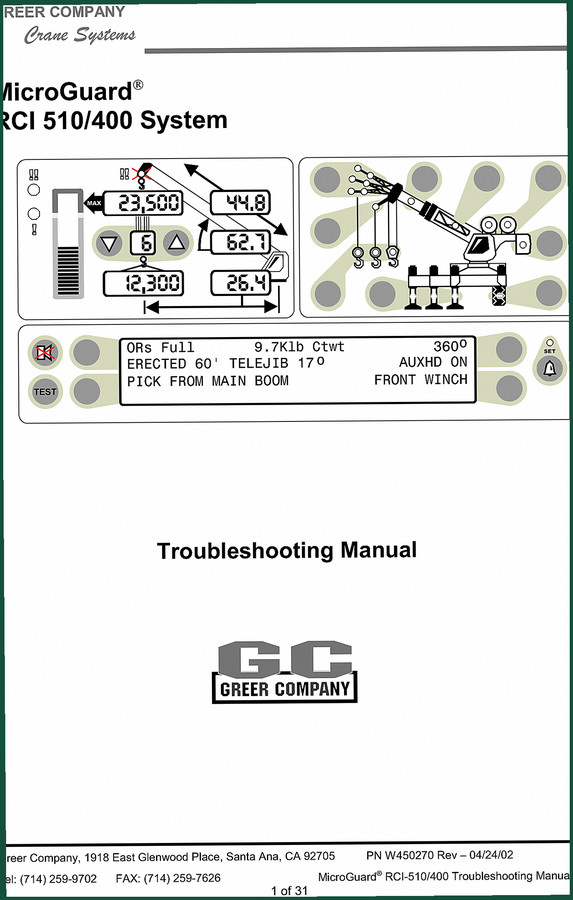
Greer RCI-510/400 2002 Troubleshooting Manual – OEM Diagnostics
Original price was: $39.90.$30.00Current price is: $30.00. -
Sale!
Greer 424 2001 Troubleshooting Manual – OEM Fault Code Diagnostics
Original price was: $40.80.$30.00Current price is: $30.00. -
Sale!
Greer MG500, RCI 510, MicroGuard 434, RCI 434, MG586 2002 Training Manual
Original price was: $48.00.$40.00Current price is: $40.00. -
Sale!
Greer 404 Troubleshooting Manual – OEM Fault Diagnostics for MicroGuard 404
Original price was: $54.80.$40.00Current price is: $40.00.
Related products
-
Sale!

Acura Integra 1998 Service Manual – 1891 Pages Factory OEM Documentation
Original price was: $31.75.$25.00Current price is: $25.00. -
Sale!

1996 Operators Manual – International 1000-4000 Series (246 pages)
Original price was: $15.28.$9.99Current price is: $9.99. -
Sale!

1989 Service Manual – International 2000-8000 Electrical Systems
Original price was: $72.00.$50.00Current price is: $50.00. -
Sale!

2006 Service Manual – International DT 466E, 530E Diesel Engine
Original price was: $67.50.$50.00Current price is: $50.00.
Michael T. –
I am extremely satisfied with this manual. Quick access after payment. It assisted me to troubleshoot my Greer RCI510 engine. I will recommend this shop to others.
gearhead88 –
I am extremely satisfied with this purchase. Instant access after checkout. Contains clear bolt torque specs for Greer. Great value for money.
Charles W. –
Perfect workshop guide. The document looks clean. A must-have for any Greer RCI510 owner doing maintenance. I will recommend this shop to others.