
Greer 424 2001 Troubleshooting Manual – OEM Fault Code Diagnostics
Original price was: $40.80.$30.00Current price is: $30.00.
Factory Greer 424 troubleshooting manual with OEM fault codes, pressure channel diagnostics, and computer board access procedures. 52 pages.
Description
Greer 424 2001 Troubleshooting Manual
If you are a crane technician or a shop owner running a telescopic boom crane with a MicroGuard 424 system, you already know what it costs when a load indicator goes down. One bad sensor or a misread fault code can shut a machine for half a shift. The aftermarket PDFs with missing pages and wrong pinouts? Toss them. This Greer 424 2001 Troubleshooting Manual is the original factory document – 52 pages, printed from Greer’s own files, with the actual diagnostic steps they used at the Santa Ana plant.
Fault Codes and Diagnostic Procedures – Real OEM Data
Section 1 of this manual runs through the full operation and then drops you straight into the fault diagnostic procedures. You get four fault code groups: Group A for analog sensors, Group B for inputs and outputs, Group C for memory faults, and Group D for general faults. Each group lists specific codes – no guessing. For example, when the system shows ‘000’ under all groups, you have zero faults. When a single sensor fails, the code appears under that group heading. The manual even gives worked examples so you can verify your own readings against known cases.
Transducer Resistance Measurement: Factory Spec
If the pressure channel is acting up, you need the resistance measurement procedure. The manual tells you to set your DVM to Ohms and measure between pins C and D of connector MS3474W14-5PZ. Expect 350 Ω ± 10 Ω. Then do the same between pins B and E – same 350 Ω ± 10 Ω. That is not an aftermarket approximation; that is the Greer-printed spec from page 2 of the troubleshooting section. Do it wrong and you replace a good transducer.
Does This Manual Cover the Computer Board Access?
Yes. The manual walks you through accessing the main computer board and termination board. Remove the two screws at the left and right of the Main Computer Backing Plate, swing the assembly up, and watch the ribbon cables. Those cables must remain connected. The manual also includes checking analog drive voltage and steps for replacing the executive ROM chip, personality ROM chip, and the entire computer board. If you have ever ruined a ribbon cable by yanking too hard, you will appreciate the caution notes in this document.
3 Reasons to Trust Greer’s Factory Documentation
First, this is the OEM source. Greer Company published it in 2001 for the MicroGuard 424 Rated Capacity Indicator System. Second, every diagnostic step – from the pressure channel fault guide to the anti two‑block system checks – is written for the exact hardware you have. Third, the manual includes a glossary of terms and part numbers like the extension reel replacement instructions. You are not working from a generic crane troubleshooting guide; you are using the same book that Greer’s own field service team carried. For other Greer systems, check the Greer MicroGuard 424 Calibration Procedure Programs M414371A”>calibration programs, the Greer Microguard RCI-510 Troubleshooting Manual”>RCI‑510 manual, or the Greer MicroGuard 404 Troubleshooting Manual”>404 troubleshooting manual.
Pressure Channel Fault Guide and Other System Faults
The manual dedicates a full guide to pressure channel faults, covering the boom extension sensor (AIN2) and boom angle sensor (AIN3). It also explains the “No Duty Found” fault – that pops up when the system cannot read the load chart because the boom angle or extension sensor data is missing. Other faults include Executive ROM, Personality ROM, Scratchpad RAM, Duty ROM, and Configuration Uncalibrated. Each fault has a corresponding diagnostic or replacement procedure. No fluff, just the steps.
Routine Maintenance and Canceling Alarms
Before you start tearing into fault codes, the manual reminds you of routine maintenance and how to cancel alarms using the lower right push buttons and icons. That section alone saves you half an hour of hunting through menus. And if you are working on a manual transmission alongside this system, the same logic applies – use factory data. Need the correct specs? See Manual Transmission”>manual transmission references for your specific drivetrain. The same discipline that keeps a crane safe keeps a gearbox alive.
For more on factory wiring and component testing from other sources, check Manual Transmission”>manual transmission fundamentals – proper diagnostics always start with the right document.
FAQ – Greer 424 2001 Troubleshooting Manual
- Is this manual specific to the MicroGuard 424 system?
- Yes. It covers the Greer MicroGuard 424 Rated Capacity Indicator for telescopic boom cranes with horizontal display.
- What fault codes are documented?
- Groups A (analog sensors), B (inputs/outputs), C (memory), and D (general). Each group lists individual codes with diagnostic instructions.
- Does the manual include pressure transducer resistance values?
- Yes. It specifies 350 Ω ± 10 Ω between pins C‑D and B‑E on the MS3474W14‑5PZ connector. The manual also provides a complete pressure channel fault guide.
- How do I access the main computer board?
- Remove the two screws on the Main Computer Backing Plate, swing the assembly up carefully, and avoid damaging the ribbon cables. The manual includes voltage checks and replacement procedures for the computer board, ROM chips, and termination board.
Stop chasing bad data and accessing copy‑paste junk from unknown forums. The Greer 424 2001 Troubleshooting Manual is the factory‑authorized document that belongs on your workbench. Access the Factory Manual today.
Additional information
| Brand | Greer |
|---|---|
| Language | English |
4 reviews for Greer 424 2001 Troubleshooting Manual – OEM Fault Code Diagnostics
Only logged in customers who have purchased this product may leave a review.
You may also like…
-
Sale!

Greer MG500, RCI 510, MicroGuard 434, RCI 434, MG586 2002 Training Manual
Original price was: $48.00.$40.00Current price is: $40.00. -
Sale!

Greer 404 Troubleshooting Manual – OEM Fault Diagnostics for MicroGuard 404
Original price was: $54.80.$40.00Current price is: $40.00. -
Sale!
Greer RCI-510 2002 Troubleshooting Manual – OEM Rated Capacity Limiter Diagnostics
Original price was: $43.80.$30.00Current price is: $30.00. -
Sale!
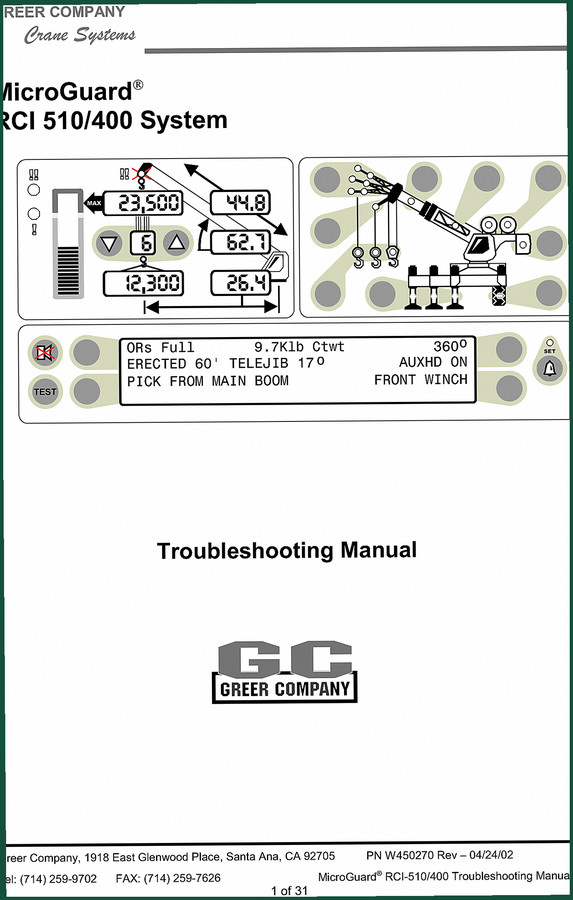
Greer RCI-510/400 2002 Troubleshooting Manual – OEM Diagnostics
Original price was: $39.90.$30.00Current price is: $30.00.
Related products
-
Sale!

Technical Manual – International 6.0L Power Stroke FICM Diagnostics
Original price was: $29.80.$20.00Current price is: $20.00. -
Sale!

1991 Operators Manual – International Truck OEM Specs (108 Pages)
Original price was: $13.63.$10.99Current price is: $10.99. -
Sale!

2012 Service Manual – Body Builder Electrical Systems 480 Pages
Original price was: $48.28.$34.00Current price is: $34.00. -
Sale!

1992 Electrical Schematic – OEM Wiring Diagrams for International 1000-3800
Original price was: $24.48.$18.00Current price is: $18.00.
David K. –
This is exactly what I was looking for. It is very easy to read on my laptop without blur. Every spec sheet is included for Greer 424. Saved my repair job! Thanks.
William H. –
I am so happy with this purchase. Immediate link after payment. Every spec sheet is included for Greer 424. I will recommend this shop to others.
gearhead88 –
Highly recommended! Immediate link after checkout. Every torque spec is included for Greer 424. Worth every penny.
Richard G. –
Excellent quality! Immediate link after checkout process. Contains precise bolt torque specs for Greer. Saved my weekend project! Thank you.