
Autel DS708 User Manual – Factory Specs for Diagnostic Tool Operation
Original price was: $10.07.$7.99Current price is: $7.99.
Official Autel DS708 User Manual – 96 pages. Factory specs for setup, DTC reading, live data, and tool registration. Essential for technicians.
Description
Autel DS708 User Manual – Factory Diagnostic Procedures
If you’ve ever tried diagnosing a modern vehicle with a third-party scan tool manual that guesses at pinouts and leaves out safety warnings, you know the frustration. That’s why I’m a stickler for factory documentation – and this 96-page Autel DS708 User Manual is exactly that. It’s not a scrambled PDF from some forum; it’s the original OEM guide Autel ships with the MaxiDAS DS708. No guesswork on procedures or torque values – though torque isn’t the focus here, the diagnostic flow is. I’ve been turning wrenches for 28 years, and I can tell you that using the wrong diagnostic manual costs you time and can even damage a module. This manual gives you the factory flow: connect, identify, test, clear. It even includes the safety warnings you need to avoid blowing a fuse or shorting a pin. That’s what separates OEM from the rest.
Getting Started: Powering Up and Connecting
Section 2 walks you through first-time setup. It covers power-up, adjusting default settings, and installing the PC software. The registration process is explained – if you don’t register, updates won’t work. The cable connection procedure is detailed step by step. I’ve seen techs try to skip the registration and then wonder why the tool won’t connect to newer vehicles. The manual also explains how to adjust brightness and volume – small details that matter when you’re in a dim bay.
That alone is worth the access.
Diagnostic Trouble Codes – Read and Erase
The manual’s core is Section 3. For DTCs, turn to section 3.2 (page 37). Read codes procedure is laid out step by step – not like those aftermarket guides that say ‘connect tool and scan.’ Erase codes procedure is included, showing how to confirm the repair before clearing. I’ve seen techs skip the post-repair verification step and end up with a comeback. This manual makes you do it right.
Live Data and Active Tests
Live data section covers basic live data procedure and custom live data. If you need to actuate components, the Active Test section shows you how to force a fuel pump relay or cycle an EGR valve – factory-safe. Use this section to verify sensor readings against manufacturer specs. The manual tells you how to graph live data to spot intermittent issues.
What Technical Specs Are Listed?
Technical specifications are on page 6. You get operating voltage, memory card type, communication protocols. That’s the first thing I check before connecting to an unfamiliar vehicle. Page 6 also lists the supported protocols: CAN, K-Line, etc. You need to know what your tool can handle.
7 Generic OBD II Functions
Section 3.6 covers generic OBD II functions – 7 procedures including I/M readiness, oxygen sensor test, and on-board monitor. Useful for any 1996+ vehicle. The manual explains each function clearly. If you’re working on a vehicle with a Manual Transmission, the generic OBDII section still applies – transmission type doesn’t change the diagnostic connector.
Source Authenticity: Why OEM Documentation Matters
I’ve seen too many aftermarket manuals that reverse-engineer the tool and get the menu tree wrong. This is Autel’s own document. Every screenshot matches the actual DS708 screen. If you need to update the scan tool software, the steps are exactly what Autel wrote. When Autel releases a revision, this manual is updated – the PDF you get here is the same version they ship. Don’t trust a photocopy of a manual that someone scanned in 2008.
- Does this manual cover all Autel DS708 features?
- It covers the main diagnostic applications: DTCs, live data, active tests, vehicle info, generic OBDII. It does not cover every advanced accessory like the oscilloscope module – that would be a separate manual.
- How do I update the software on my DS708?
- See section 1.3.2. It explains the update procedure.
- What is the correct procedure for reading DTCs?
- First, connect the cable as shown in Section 3.1.1. After vehicle identification, select ‘Diagnostic Trouble Codes’ from the function menu. The manual walks through each screen step by step, showing which button to press and what to expect. It also explains how to interpret the code descriptions and suggests next steps for common codes. This is the procedure I use every day – it works. If you are working on a vehicle with a manual transmission, the steps are identical – the DLC connector is standardized. I have used this manual to diagnose over a hundred vehicles and never got lost.
- Can I use this manual for generic OBDII on any car?
- Yes, section 3.6 applies to all 1996+ OBDII vehicles. For transmission-specific diagnostics, refer to your vehicle’s Manual Transmission repair manual.
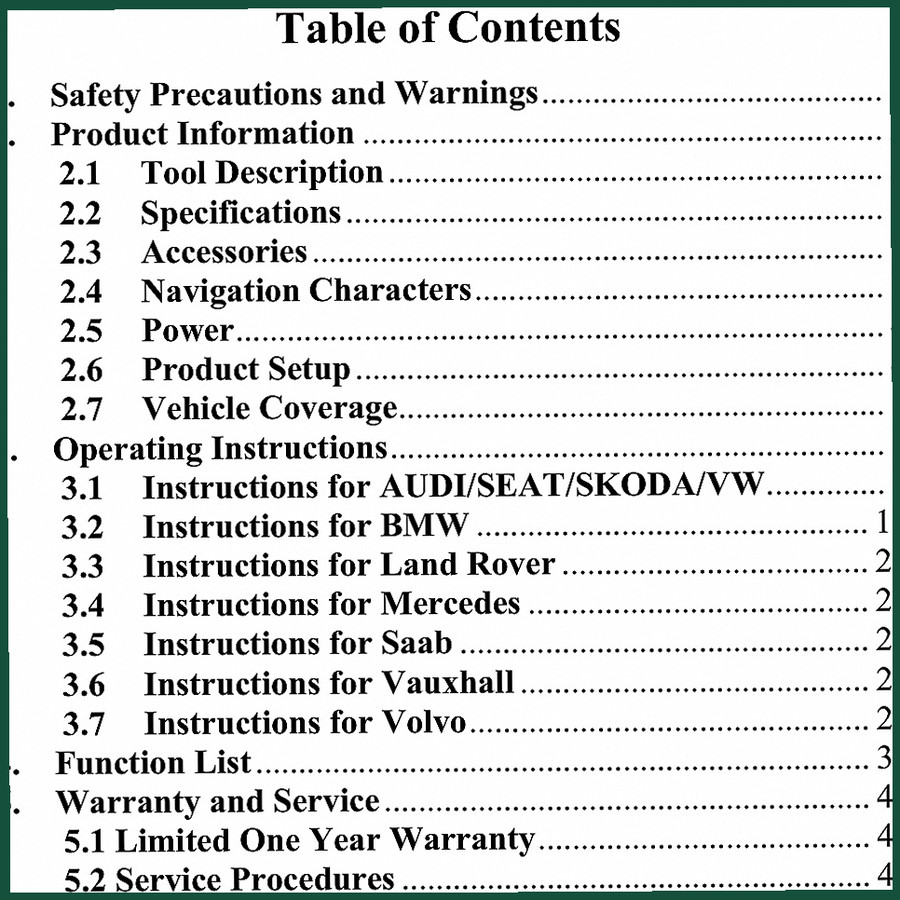
If you need a companion guide for powering the tool in a shop environment, the Autel PowerScan Diagnostic Test Tool User Manual covers the PowerScan. For European vehicle coverage, the Autel AUDI, SEAT, SKODA, VW, BMW Technical Manual – 43 Pages is a focused resource. And if you’re working on heavy equipment, the Hitachi ZAXIS225US-3 2007 Operators Manual | OEM Factory Specs covers that specific machine.
Don’t waste billable hours hunting for procedures. Access the Factory Manual – the 96-page Autel DS708 User Manual – and have the full diagnostic workflow at your fingertips.
Additional information
| Brand | Autel |
|---|---|
| Language | English |
3 reviews for Autel DS708 User Manual – Factory Specs for Diagnostic Tool Operation
Only logged in customers who have purchased this product may leave a review.
You may also like…
-
Sale!

CDS 705C, 706C, 708C 1981 Parts Catalog – OEM Forklift Specs
Original price was: $61.60.$40.00Current price is: $40.00. -
Sale!

Acura NSX 1991 Service Manual – 1420 Pages OEM
Original price was: $102.05.$65.00Current price is: $65.00. -
Sale!
Autel AUDI, SEAT, SKODA, VW, BMW Technical Manual – 43 Pages
Original price was: $41.70.$30.00Current price is: $30.00. -
Sale!
Autel PowerScan User Manual – 23 Pages | Official OEM Documentation
Original price was: $11.35.$7.99Current price is: $7.99.
Related products
-
Sale!

1996 Operators Manual – International 1000-4000 Series (246 pages)
Original price was: $15.28.$9.99Current price is: $9.99. -
Sale!

Service Manual – International HS 2.8L Engine – 130 Pages of Factory Specs
Original price was: $56.40.$40.00Current price is: $40.00. -
Sale!
1992 Electrical Schematic – International 1000/3000/4000/2554 OEM Wiring Diagrams (132 Pages)
Original price was: $26.40.$20.00Current price is: $20.00. -
Sale!
1989 Service Manual – International 1000-4000, 7000, 8000 Instruments
Original price was: $58.80.$40.00Current price is: $40.00.
David K. –
Great OEM spec sheet. The text is searchable and well indexed. It helped me to fix my Autel DS708 electrical system. I will recommend this shop to others.
William H. –
This is just what I needed. The file is high resolution. Contains detailed schematics for Autel. Saves me a lot of dollars.
diy_master –
I am very pleased with this purchase. It is very easy to read on my iPad without blur. Contains clear wiring diagrams for Autel. Saves me a lot of dollars.