
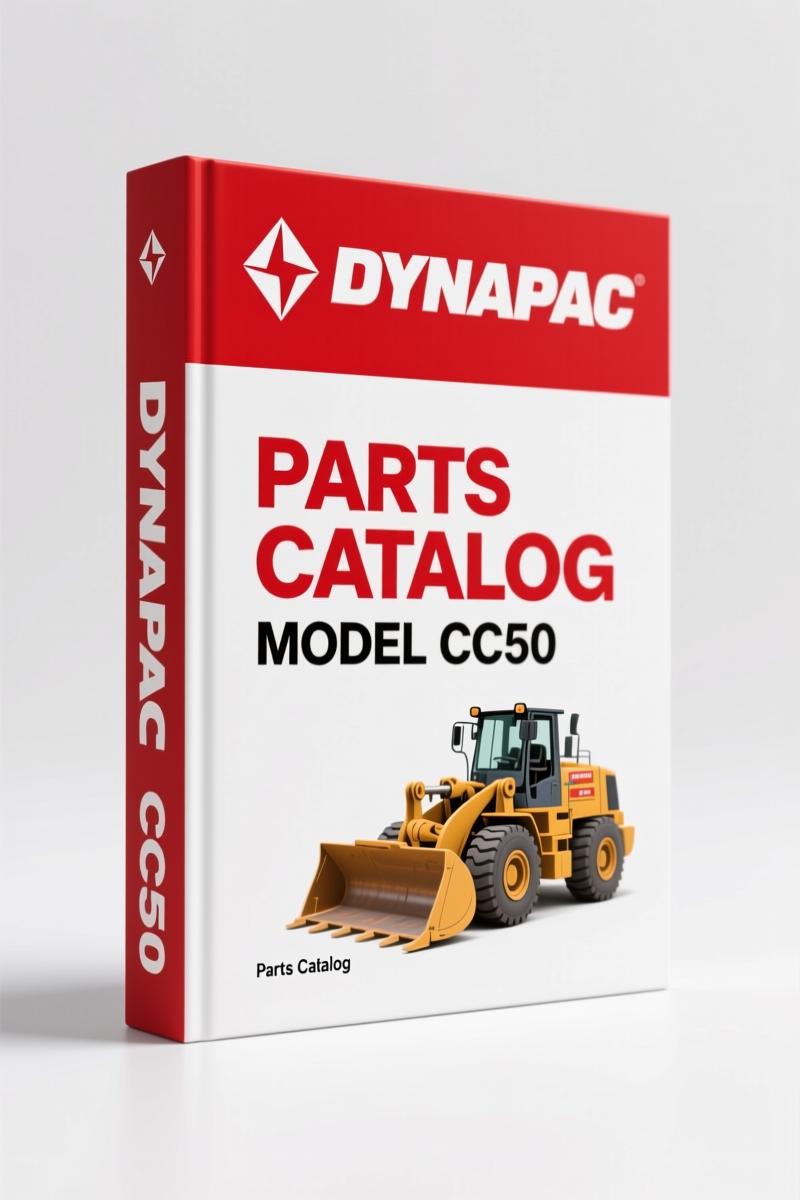
Dynapac CC50, CC50A Parts Catalog – 131 OEM Pages
Original price was: $26.19.$19.99Current price is: $19.99.
Factory parts catalog for Dynapac CC50 and CC50A vibratory rollers. 131 pages of OEM part numbers, exploded views, and ordering data.
Description
Dynapac CC50, CC50A Parts Catalog – OEM Factory Specs
I’ve watched a roller sit for two weeks because a tech ordered the wrong bearing. That’s what happens when you rely on memory or a fuzzy photocopy. Dynapac CC50, CC50A Parts Catalog is the factory document – 131 pages of exploded views and part numbers you need before you call the supply house. It’s not a repair manual, so don’t ask it for torque specs. Ask it for the correct bolt, seal, or hydraulic fitting, and it delivers.
Every group in this catalog starts with a table of contents that tells you which pages cover the engine, roller frame, vibration system, steering, and electrical. The left page lists parts with reference numbers, quantities, and descriptions. The right page shows the exploded illustration. You get both sides. That’s how an OEM sets it up.
Dynapac CC50, CC50A Parts Catalog: What’s Inside 131 Pages
This catalog uses a group system – common across all Dynapac parts catalogs. You’ll find separate groups for the engine (Cummins), drive train, vibration system, steering, operator station, hydraulic system, and more. Each group page on the left has a description column where indented lines tell you those parts belong to the assembly above. The illustration number in the lower left corner of the drawing matches the parts list so you don’t lose your place.
Group System: How Dynapac Organizes Every Nut and Bolt
You turn to the table of contents at the front. It lists every group by name. Flip to the group you need, say “Vibration System,” and the group’s own table of contents shows individual pages for eccentric weights, bearings, and seals. The part number column uses factory numbers you feed directly into your supplier. The quantity column tells you how many per machine – unless the part is indented, then the quantity is per assembly. This is where novices get tripped up. An indented nut under a bearing assembly means you order one nut for that bearing, not for the whole machine. The catalog spells that out. Follow it.
3 Ways the Numerical Index Speeds Up Ordering
First, you have a known part number. Flip to the back of the catalog, find the number in the numerical index, note the page. Second, you see the illustration and verify it’s the exact piece you need – that bracket with the extra hole, not the one without. Third, you cross‑check the serial number column to make sure the part fits your CC50A series 2 or earlier build. That index saves you from ordering parts that look right but don’t fit. If you need the operators manual for service procedures, check the Dynapac CC50, CC50S, CC50PD 1987 Operators Manual – OEM Factory Specs.
Right-Hand vs Left-Hand: Getting the Orientation Correct
The catalog defines right hand (R.H.) and left hand (L.H.) from the operator’s seat facing forward, engine behind. That matters when you order a hydraulic cylinder or a steering arm. Swap them and the hose ports point the wrong way. This catalog labels every part accordingly. Don’t guess – check the illustration. The reference numbers on the drawing correspond to the parts list line by line. If the part is shown on the right side of the machine, it’s marked R.H. in the description.
Why the Description Column’s Indent Tells You About Subassemblies
Look at any group page. The top line is the main assembly – for example, “Vibration Motor Assembly.” Below it, indented items are the components inside that assembly: rotor, housing, seals, fasteners. The quantity column for those indented lines shows how many are needed per assembly. So if the motor assembly uses two seals, the line says “2.” If you order just the seals, you need one motor’s worth. The catalog doesn’t leave you to figure that out on your own. It’s printed that way.
Don’t Skip the Serial Number Column
Dynapac made changes during production. The serial number column on each parts page tells you which part numbers apply to machines with a certain serial prefix. A steering pump on early CC50s might not interchange with a later CC50A series 2. The catalog shows the break point. Ignore the serial number column and you’ll end up with a pump that has the wrong mounting flange. That’s a half‑day wasted. This catalog is published by Dynapac directly – not a third‑party copy. The parts identification system aligns with practices in the Automotive Industry Overview but it’s specific to these rollers.
Related Manuals for the Shop
If you work on other Dynapac machines, the group system is the same. For the larger PL2000LS, grab the Dynapac PL2000LS Parts Catalog (258 Pages) – OEM Factory Spec. And for the CC50, CC50S, CC50PD, the Dynapac CC50, CC50A Parts Catalog – OEM Factory Manual 131 Pages is what you’re already looking at.
- Can I use this catalog to service the roller?
- Not for service procedures. It’s a parts catalog, not a repair manual.
- Does this catalog include torque specifications?
- Torque specs are not in this book. Those belong in the Dynapac service manual. But this catalog is essential for getting the correct hardware – bolts, seals, filters. If you torque a bolt and it strips because you used the wrong grade fastener, that’s on you. The catalog lists part numbers, quantities, and illustrations so you order exactly what the factory intended. It also identifies subassemblies, so when you replace a bearing you know if the seal is included or separate. Don’t skip it because you think it’s just a list. A parts catalog saves you from wasting time on wrong parts.
You need this on your bench if you work on CC50 or CC50A rollers. Stop guessing part numbers. Access the Factory Manual and start identifying parts the right way.
Additional information
| Brand | Dynapac |
|---|---|
| Language | English |
2 reviews for Dynapac CC50, CC50A Parts Catalog – 131 OEM Pages
Only logged in customers who have purchased this product may leave a review.
You may also like…
-
Sale!
Dynapac CA-15A 1987 Parts Catalog – OEM Exploded Views
Original price was: $89.70.$65.00Current price is: $65.00. -
Sale!
Dynapac CA250 CA280 CA300 CA260 Workshop Manual – 42 Pages
Original price was: $88.40.$65.00Current price is: $65.00. -
Sale!
Dynapac CC 41 Parts Catalog – 242 Pages OEM Exploded Views
Original price was: $80.60.$65.00Current price is: $65.00. -
Sale!
Dynapac CA 25, CA 25D, CA 25PD, CA 25R Parts Catalog – OEM Spare Parts (322 Pages)
Original price was: $83.85.$65.00Current price is: $65.00.
Related products
-
Sale!

2006 Service Manual – International DT 466E, 530E Diesel Engine
Original price was: $67.50.$50.00Current price is: $50.00. -
Sale!

Technical Manual – International DT 530 & HT 530 (118 Pages)
Original price was: $37.00.$25.00Current price is: $25.00. -
Sale!

1991 Operators Manual – International Truck OEM Specs (108 Pages)
Original price was: $13.63.$10.99Current price is: $10.99. -
Sale!

1994 Troubleshooting Manual – International 1000-4000 FBC
Original price was: $60.00.$50.00Current price is: $50.00.
Thomas B. –
I am so happy with this transaction. The document is high resolution. A must-have for any Dynapac CC50, DIYer doing repairs. Great value for money.
pro_mechanic –
This is just what I needed. The text is searchable and easy to navigate. Contains precise bolt torque specs for Dynapac. I will recommend this shop to others.