
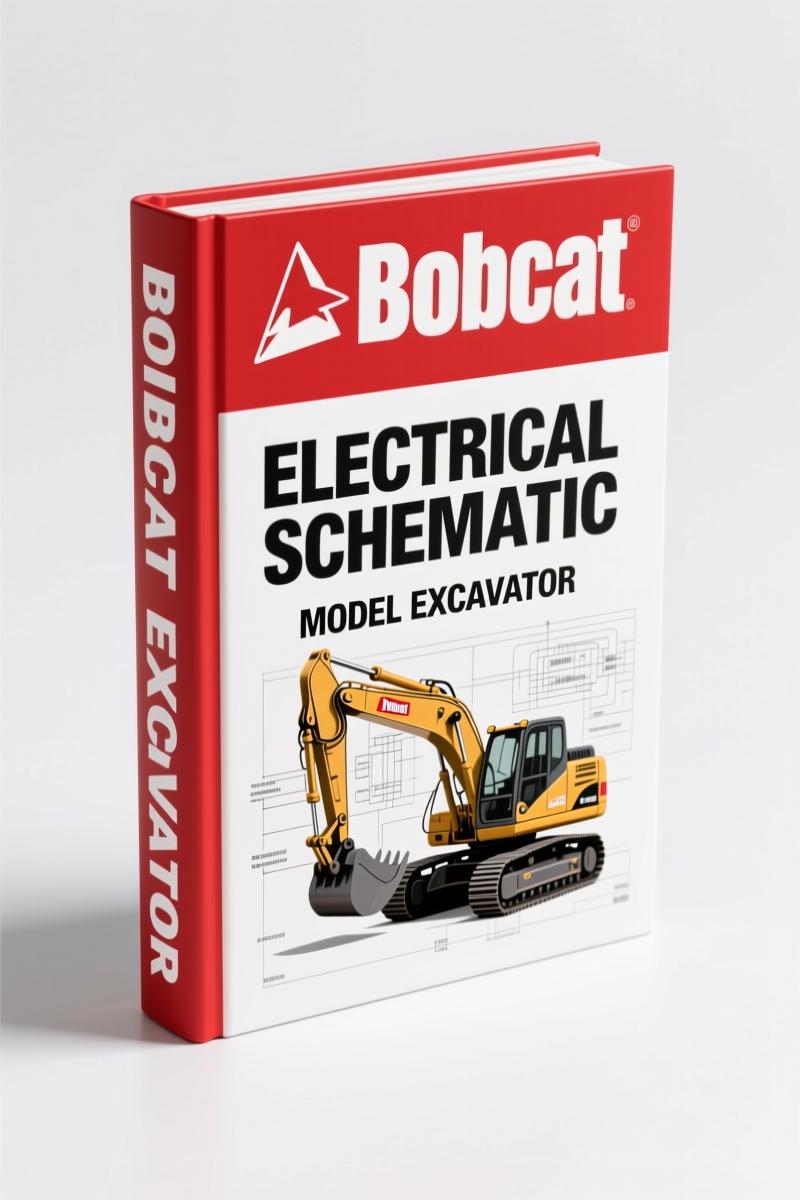
Bobcat Excavator 2008 Electrical Schematic – OEM Wiring Diagrams & Diagnostics
Original price was: $43.50.$30.00Current price is: $30.00.
84-page OEM electrical schematic for 2008 Bobcat Excavator. Includes wiring diagrams, connector maintenance, and service software diagnostics.
Description
Bobcat Excavator 2008 Electrical Schematic – Factory OEM Service Manual
If you are tracing a short in the wiring harness of your Bobcat excavator and the shop manual you have is a third-party reprint with blurry diagrams, you already know the cost of guessing. One wrong connection can fry a controller board. This OEM factory electrical schematic – published by Bobcat Company in 2008, 84 pages – is the only document I trust for diagnosing the electrical system on these machines. It covers the exact connector pinouts, fuse locations, and controller identification charts you need to avoid smoke testing your equipment.
Fuse and Relay Identification – Page Locations
Under the ELECTRICAL SYSTEM INFORMATION section of the GENERAL INFORMATION chapter, the manual lists fuse and relay location/identification with cavity numbers and amperage ratings for every fuse in the left and right console panels. You get the exact assignment without flipping through aftermarket supplements. The EXCAVATOR CONTROLLER identification chart tells you which control unit your machine uses – critical when ordering replacement parts.
Tools Required for Electrical Diagnostics
You cannot properly diagnose a Bobcat excavator without the right tools. The TOOLS chapter specifies procedures for a Digital Multimeter – voltage test and resistance test (ohms) – with instructions for each. It also details the Remote Start Tool Kit MEL1563 (harnesses MEL1565 and MEL1566) and the newer Service Tool Kit 6689779 (harnesses 6689747 and 6689746). Using the correct service harness prevents damage to the controller. For related schematics, see the Bobcat Loader Electrical System Service Manual.
Does This Manual Cover the Hydraulic System?
Only the electrical schematic. However, the FIRE PREVENTION chapter includes a Hydraulic System subsection with safety warnings for working with pressurized hydraulic fluid and diesel fuel. The manual also covers fueling, starting, and welding/grinding precautions. If you need hydraulic service procedures, you want the full service manual – this document is for electrical troubleshooting, component identification, and software diagnostics.
84 Pages of Factory Wiring Data
That is the exact page count. Each page is from the original Bobcat print, not a re-scanned copy. The ALPHABETICAL INDEX and CONTENTS make navigation fast. You get the GLOSSARY OF TERMS to interpret Bobcat-specific acronyms. The SERIAL NUMBER LOCATIONS section helps you confirm which version of the electrical system your machine has – critical when ordering controllers or harnesses. For Spanish-language users, the Bobcat Barredora con Cajón Colector 1997 User Manual – OEM Factory Specs is available.
Connector Maintenance: Metri-Pac and Deutsch Disassembly
Connector corrosion is the number one cause of intermittent electrical faults on excavators. The ELECTRICAL HARNESS section gives step-by-step procedures for disassembling and assembling Metri-Pac connectors, Seven-Pin Octal Metri-Pac, and Deutsch connectors (both flat faced and flush faced). Follow these procedures to avoid breaking locking tabs or damaging seals. The manual shows the correct tool for each connector type. For mower attachments, see the Bobcat 54, 60, 72 2002 User Manual – OEM Factory Specs.
Service PC Software and Analyzer Diagnostics
The SERVICE “PC” SOFTWARE chapter covers the Bobcat Service Analyzer for monitoring, warnings, diagnostics, and installing kits and options. You get the procedure for connecting a remote start tool and installing service software on a laptop. Minimum requirements for the PC are listed. This section alone can save a full day of trial-and-error troubleshooting. Reference external resources like Automotive Wiring for general electrical theory. For an industry overview, check out Automotive Industry Overview.
FAQs
- Is this manual for all Bobcat excavator models?
- It covers 2008 model-year excavators. Use the SERIAL NUMBER LOCATIONS section to confirm compatibility.
- Does it include torque specifications?
- This is an electrical schematic – focus is on wiring, fuses, and diagnostic procedures. Torque specs are not listed, but safety warnings for hydraulic and electrical systems are included.
- How do I use the Remote Start Tool kit?
- The TOOLS chapter explains the Remote Start Tool MEL1563 and Service Tool Kit 6689779 in detail. It shows how to connect the service harness to the excavator controller, set up the laptop, and enter the Bobcat Service Analyzer. You will find step-by-step instructions with connector diagrams – not just a paragraph. Follow the sequence: install software, connect harness, power up, enter analyzer. Do not skip the grounding checks.
- Can I access this manual immediately?
- Yes. Once you complete the purchase, the PDF is available for access from your account page. It is the original OEM print, 84 pages.
Stop chasing electrical gremlins with incomplete data. Get the genuine factory information. Access the Factory Manual now.
Additional information
| Brand | Bobcat |
|---|---|
| Language | English |
3 reviews for Bobcat Excavator 2008 Electrical Schematic – OEM Wiring Diagrams & Diagnostics
Only logged in customers who have purchased this product may leave a review.
You may also like…
-
Sale!
Bobcat 337, 341 2007 Service Manual – Factory OEM Repair Specs
Original price was: $92.95.$65.00Current price is: $65.00. -
Sale!
Bobcat 2000 RTF 1983 Service Manual – Factory Specs for Construction Equipment
Original price was: $133.00.$100.00Current price is: $100.00. -
Sale!
Bobcat 316 2006 Service Manual – Factory Specs for Excavator
Original price was: $109.60.$80.00Current price is: $80.00. -
Sale!
Bobcat 1213 1985 Service Manual – Factory Specs for Skid-Steer
Original price was: $105.00.$70.00Current price is: $70.00.
Related products
-
Sale!

Technical Manual – International DT 530 & HT 530 (118 Pages)
Original price was: $37.00.$25.00Current price is: $25.00. -
Sale!

1992 Electrical Schematic – International 1000/3000/4000/2554 OEM Wiring Diagrams (132 Pages)
Original price was: $26.40.$20.00Current price is: $20.00. -
Sale!
1996 Operators Manual – International 1000-4000 Series (246 pages)
Original price was: $15.28.$9.99Current price is: $9.99. -
Sale!

Technical Manual – International 6.0L Power Stroke FICM Diagnostics
Original price was: $29.80.$20.00Current price is: $20.00.
William H. –
This is just what I required. It is very easy to read on my iPad without losing quality. A must-have for any Bobcat Excavator mechanic doing repairs. Saved my weekend project! Thank you.
Robert M. –
Excellent workshop guide. It is easily zoomable on my laptop without blur. A must-have for any Bobcat Excavator owner doing maintenance. Saved my weekend project! Thank you.
workshop_guy –
I am so happy with this transaction. Instant access after checkout process. It guided me to repair my Bobcat Excavator electrical system. Saves me so much money.