
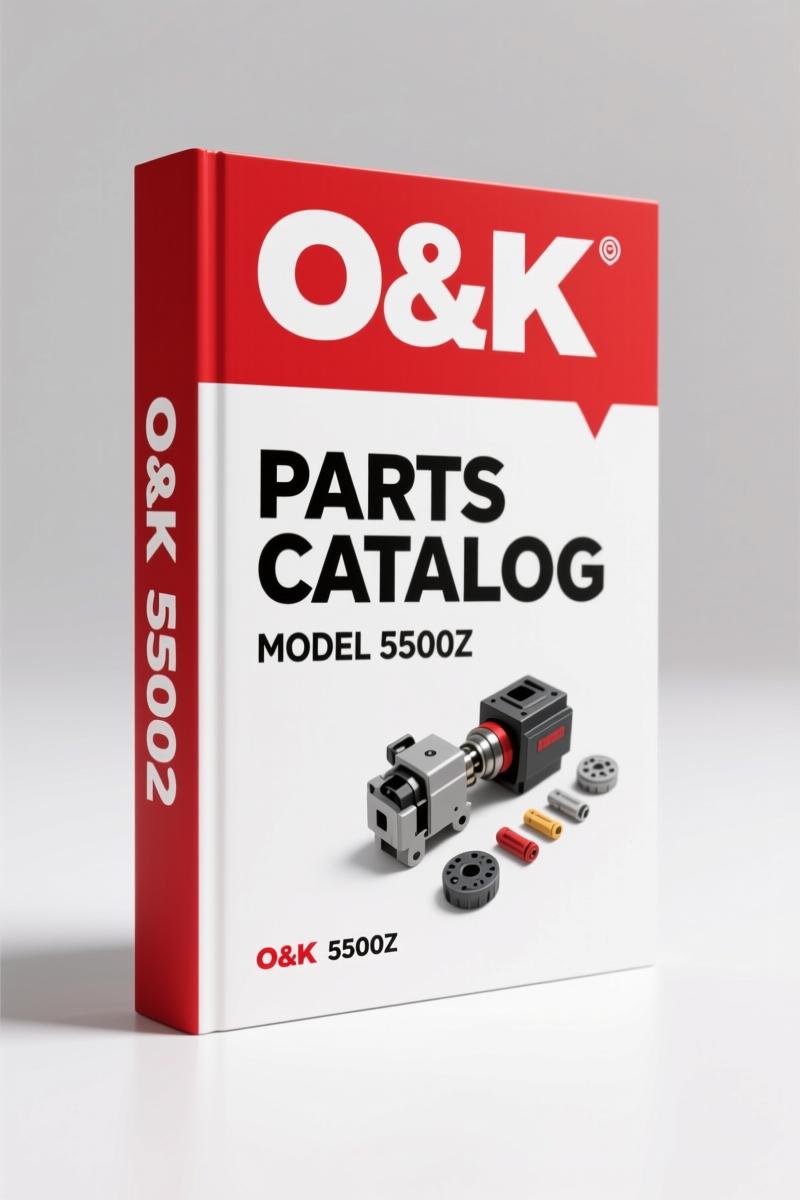
O&K 5500Z, L55 1991 Parts Catalog – 356 Pages OEM
Original price was: $39.30.$30.00Current price is: $30.00.
OEM parts catalog for O&K 5500Z/L55 loader – 356 pages, group-number indexing, serial-number cross-reference, original factory data from 1991.
Description
O&K 5500Z, L55 1991 Parts Catalog
You ever order a part for a loader, get it in, and it’s the wrong thread pitch or mounting bracket? I’ve seen it cost a shop half a day and a customer a week of downtime. That’s why the O&K 5500Z, L55 1991 Parts Catalog exists. Factory document TB125, revision 3, August 1991 – 356 pages of exploded views and part numbers, indexed by group numbers so you land on the right system first try. No guesswork, no aftermarket repackaging.
Every machine that hits my bay has a serial number plate. This manual makes you use it. Page 2 has blanks for engine model, transmission part number, front and rear axle serials. If you skip that step, you’re gambling. The index on page 3 tells you which illustration covers your system – hydraulic, drivetrain, whatever. Then you find the item number, cross it to the parts list, and place your order. That’s the factory procedure.
Group Numbers: How This Manual Organizes 356 Pages
O&K uses a six-digit group number. First two digits tell you the system – 32 is Hydraulic System, 05 is Hydraulic Tank Assembly, 01 is Hydraulic Filter. The index at the front of this catalog maps every group to the page range where you’ll find the illustration and parts list. You don’t flip through blind. You find group 32 05 01, you’re on the page with the filter. Period.
Why the Serial Number Matters on Page 2
On page 2 you’ll see fields for machine model, serial number, engine model, transmission part number, front and rear axle serial numbers. O&K changed production runs without updating the manual. If you order a part for a 5500Z built in ’90 versus ’91, the part number might be different. The manual tells you: include that serial number with every order. Skip it, and you risk getting the wrong component. I’ve seen hydraulic pumps swapped because someone ordered by model year alone. Don’t be that guy.
3 Steps to Order the Correct Part (From the Index)
First, locate your system in the index – say, “Engine” or “Hydraulic”. Second, note the group number and turn to the referenced illustration. Third, read the item number next to the part in the drawing, then look up the part number and description in the parts list on the same page spread. That’s it. No cross-referencing third-party catalogs. The index uses machine-specific groupings, not generic categories.
Hydraulic System: Group 32 Breakdown
The hydraulic system gets its own two‑digit prefix. Group 32 covers everything from the tank to the control valves. Sub‑groups split it further: 32 05 for tank, 32 10 for pump, 32 15 for valves. If you need the filter, you’re looking at 32 05 01. The manual doesn’t assume you know hydraulics – it assumes you can read the group number and turn pages. That’s all.
Does This Manual Cover the L55 Model?
Yes. The title page says “MODEL 5500Z / L55” – both variants are covered in this single parts catalog. The illustrations and part numbers are shared where components are identical, and where they differ the manual calls it out. You’ll see separate item numbers for parts that are model-specific. If you’re working on an L55, you use the same index and group structure.
FAQ
- Is this manual for the 5500Z only?
- No, it covers both the 5500Z and the L55. Same TB125 manual, same part numbers where applicable.
- How do I use the group numbers to find a hydraulic filter?
- Open the index at the front of the manual. Look under “Hydraulic System” – that’s group 32. Within group 32, sub-group 05 is the tank assembly. The filter is item 01 in that sub‑group – so group 32 05 01. The index will list the exact page where the illustration for 32 05 01 appears. Turn to that page, find the item number for the filter in the drawing, then read the part number from the adjacent parts list. That part number is the one you order. Include your machine serial number from the plate. If the manual doesn’t list the filter separately, check the tank assembly illustration – sometimes the filter is included as a kit. The manual’s own example on page 3 walks you through this exact process. Don’t skip the index. It’s there to prevent the 40‑minute page‑hunt.
If you need the companion catalog for the smaller O&K models, grab O&K 5500Z L55 1991 Parts Catalog”>the 5500Z/L55 manual itself – this one. For the L45 and 4500Z, see O&K L45, 4500Z 1990 Parts Catalog – Parts Manual TB126″>the 1990 Parts Catalog TB126. And the L3000 fuel unit? O&K L3000 Parts Catalog – Factory OEM Manual (236 Pages)”>That manual covers the L3000. For general background on how off‑highway equipment parts catalogs are structured in the industry, check the Automotive Industry Overview on Wikipedia. You can also read more at Automotive Industry Overview.
Stop wasting time on aftermarket lists that skip the group numbers. Access the factory manual – 356 pages, proper indexes, and the serial number fields that save you a return trip. Access the Factory Manual.
Additional information
| Brand | O&K |
|---|---|
| Language | English |
4 reviews for O&K 5500Z, L55 1991 Parts Catalog – 356 Pages OEM
Only logged in customers who have purchased this product may leave a review.
You may also like…
-
Sale!
O&K RH 3, RH 9 1974 Technical Manual – Factory Specs
Original price was: $79.95.$65.00Current price is: $65.00. -
Sale!
O&K 1900Z 1988 Parts Catalog – 336 Pages OEM Parts Manual
Original price was: $96.00.$75.00Current price is: $75.00. -
Sale!
O&K 2000Z 1986 Parts Catalog – OEM Parts Identification
Original price was: $92.95.$65.00Current price is: $65.00. -
Sale!
O&K 3500Z 1988 Parts Catalog – OEM Parts Identification
Original price was: $87.75.$65.00Current price is: $65.00.
Related products
-
Sale!

1995 Operators Manual – International 1000-4000 Series | OEM Documentation
Original price was: $12.49.$9.99Current price is: $9.99. -
Sale!
1993 Electrical Schematic – International 1000/3000/4000 Bus Chassis OEM Wiring Diagrams
Original price was: $29.26.$22.00Current price is: $22.00. -
Sale!

2006 Service Manual – International DT 466E, 530E Diesel Engine
Original price was: $67.50.$50.00Current price is: $50.00. -
Sale!

2011 Parts Catalog – International Truck OE Parts Documentation (1786 Pages)
Original price was: $34.50.$25.00Current price is: $25.00.
Thomas B. –
I am so happy with this purchase. It is easily zoomable on my laptop without losing quality. It assisted me to rebuild my O&K 5500Z, engine. Highly recommended for mechanics.
David K. –
Outstanding! Immediate link after checkout process. Every torque spec is provided for O&K 5500Z,. Saved my weekend project! Thanks.
Robert M. –
Excellent factory service manual. It is very easy to read on my phone without blur. A must-have for any O&K 5500Z, owner doing maintenance. Worth every penny.
Richard G. –
This is exactly what I required. The document is high resolution. Contains detailed bolt torque specs for O&K. Saved my weekend project! Thank you.