
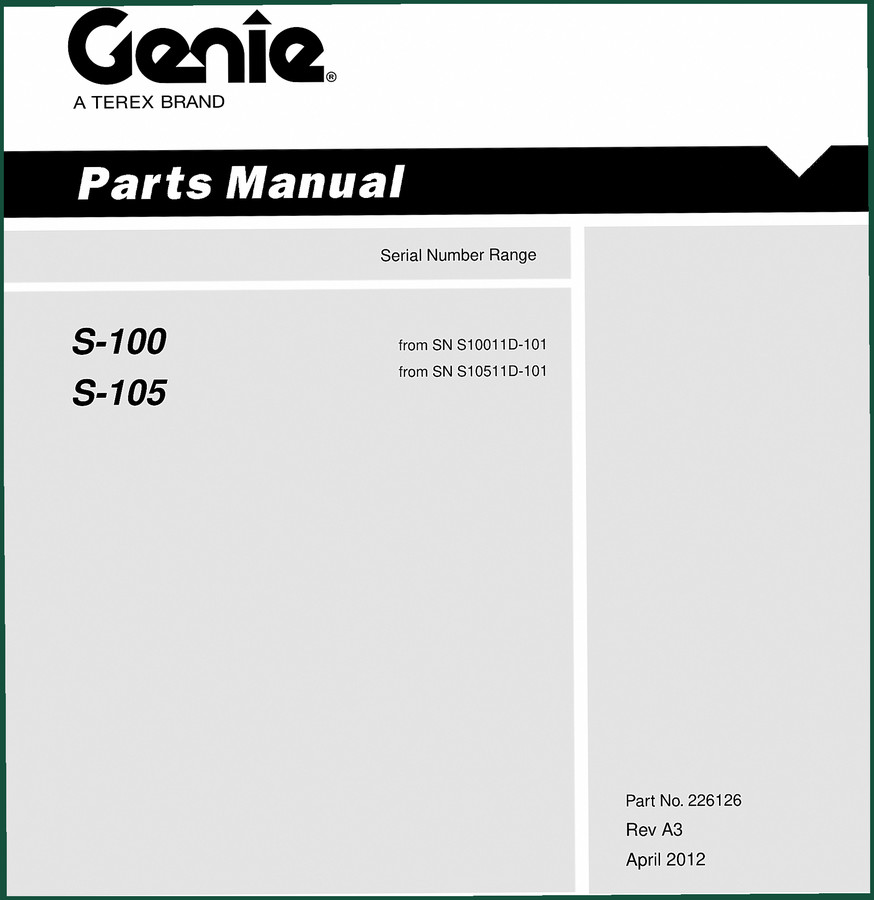
Genie S-100, S-105 2012 Parts Catalog – 166-Page OEM Reference
Original price was: $40.50.$30.00Current price is: $30.00.
Factory-issued 2012 Genie S-100, S-105 parts catalog – 166 pages, OEM part numbers, exploded diagrams, and serial number decoding.
Description
Genie S-100, S-105 2012 Parts Catalog
If you’ve ever bolted on the wrong part because the aftermarket catalog listed a different revision, you know the feeling. Thirty minutes wasted, and the boom lift still sitting on blocks. That’s why you want a Genie factory parts manual – not a third-party rehash. The Genie S-100, S-105 2012 Parts Catalog (166 pages) is the OEM document that Genie techs use to order the right components. No guesswork on serial number ranges or supersessions. This is the real thing.

Extendable Steer Axle Installation – View 1 and View 2
Two separate figures cover the steer axle assembly. View 1 (page 14 of the PDF) shows the axle installation with brackets and cylinders. View 2 (page 16) gives the opposite side with tie rods and hardware. Each figure has callouts with Genie part numbers, not generic replacements. If you’re rebuilding a steer axle, you need these exact diagrams to order the right kingpins and seals.
Drive Hub Assembly with Brake – Page 20 Specs
The drive hub assembly on page 20 includes the brake components – shoes, springs, and the hydraulic actuator. This is where aftermarket catalogs often swap in the wrong hub flange. The factory drawing lists the correct part numbers for the S-100 and S-105 variants. Check your serial number against the chart on page 3 before ordering.
Serial Number Decoder: Where Your Machine Fits
Page 3 of this catalog shows exactly how to read the serial number. For example, S10011D-0101 means model S100, year 2011, plant D, sequence 0101. The manual covers S-100 from SN S10011D-101 and S-105 from SN S10511D-101. If your machine falls outside that range, you need a different revision. Don’t skip this – ordering parts for the wrong serial range wastes money.
How to Order Parts – The Fax Form Still Works
Included in the back of the manual is a service parts fax order form (page 9). Fill out the figure number, item number, quantity, and your info. Genie still accepts these. For electronic ordering, they point you to the Genie Parts Lookup System on their website. But if you want a printed trail, the fax form is right there.
Decals with Symbols – Don’t Skip This Section
Pages 10-13 cover decals with symbols for both S-100 and S-105. These aren’t just stickers – they’re safety labels required for ANSI and CSA compliance. If a decal is missing or faded, this catalog gives the correct part number. Order the right one. Don’t assume a generic ‘danger’ decal will pass inspection.
This manual is an OEM Genie publication, part number 226126 Rev A3, dated April 2012. It’s not a reprint or a scan of a scan. The PDF bookmarks let you jump to any figure directly. For related models, see the Genie S-60, S-65 2012 Parts Catalog – Factory OEM Manual or the Genie S-80, S-85 2012 Parts Catalog – OEM Factory Parts Manual. Another option is the Genie S-80, S-85 2012 Parts Catalog – OEM Factory Specs.
For context on why OEM documentation matters in heavy equipment, check the Automotive Industry Overview and also Automotive Industry Overview.
Who Needs This Parts Catalog
If you own a Genie S-100 or S-105 boom lift and do your own maintenance, this catalog saves you from ordering the wrong hydraulic fitting or drive motor. Home-garage mechanics who rent lifts will also find it useful for verifying parts before a trip to the dealer. Beginners should start by reading the serial number page – everything hinges on that.
Why Factory Documentation Beats Aftermarket
Third-party parts catalogs often combine multiple model years into one drawing, leading to mismatched bolts or obsolete part numbers. Genie’s own manual revises figures as parts change. This 2012 edition is the correct one for machines built after late 2011. Don’t trust a generic ‘fits all’ page. Use the factory spec.
- Does this parts catalog include repair procedures?
- No. This is strictly a parts manual – exploded diagrams and part numbers. For service instructions, you need the corresponding service manual.
- What serial numbers does this cover?
- S-100 from S10011D-101 and above; S-105 from S10511D-101 and above. Check your serial tag under the cover.
- Can I use this to order from a local dealer?
- Yes. Give them the figure number, item number, and part number from this manual. It matches their system exactly. The fax order form on page 9 is still accepted by many dealers.
- Does it include electrical schematics or torque specs?
- No. This parts catalog does not contain schematics or torque values. Those are in the Genie S-100/S-105 Service Manual. The only spec listed here is the exploded view part numbers. For wiring, get the electrical schematic number ES0427 (noted on page 3) and order that separately.
Access the Factory Manual now and keep a digital copy on your shop tablet. Print the pages you need for the job. It beats scrolling through a blurry aftermarket website every time you need a seal kit.
Additional information
| Brand | Genie |
|---|---|
| Language | English |
2 reviews for Genie S-100, S-105 2012 Parts Catalog – 166-Page OEM Reference
Only logged in customers who have purchased this product may leave a review.
You may also like…
-
Sale!
Genie Z-34/22 2011 Service Manual – OEM Repair Specs
Original price was: $70.50.$50.00Current price is: $50.00. -
Sale!
Genie V-2470, V-2470RT Service Manual – OEM Specs & Torque Data
Original price was: $68.40.$45.00Current price is: $45.00. -
Sale!
Genie GTH-3007, AGRI-730, GTH-2506, AGRI-625 2008 Service Manual
Original price was: $92.40.$60.00Current price is: $60.00. -
Sale!
Genie GTH-6025 2008 Service Manual – Factory OEM Repair Specs
Original price was: $90.35.$65.00Current price is: $65.00.
Related products
-
Sale!

1993 Electrical Schematic – International 1000/3000/4000 Bus Chassis OEM Wiring Diagrams
Original price was: $29.26.$22.00Current price is: $22.00. -
Sale!
1996 Operators Manual – International 1000-4000 Series (246 pages)
Original price was: $15.28.$9.99Current price is: $9.99. -
Sale!
International 1000-3000 Series Operators Manual – 132 Pages of OEM Specs
Original price was: $14.40.$10.99Current price is: $10.99. -
Sale!

2011 Parts Catalog – International 7400 SFA 6X6 – 1886 Pages of OEM Part Numbers
Original price was: $32.00.$25.00Current price is: $25.00.
Richard G. –
Perfect factory service manual. Instant access after checkout process. Contains clear wiring diagrams for Genie. I will recommend this shop to others.
William H. –
This is exactly what I was looking for. The scan is high-quality and easy to navigate. Contains detailed schematics for Genie. Saves me a lot of dollars.