
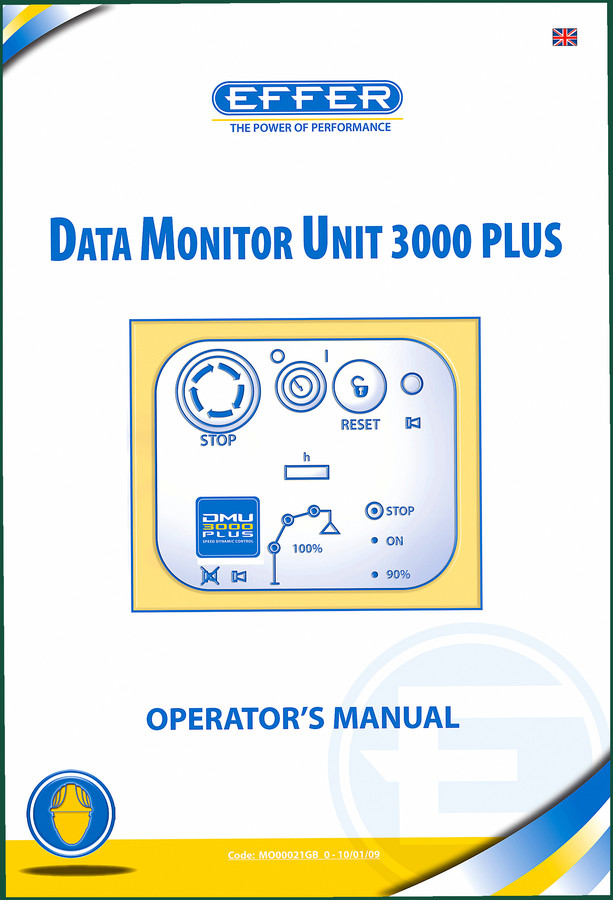
Effer DMU3000 PLUS 2009 Operators Manual | OEM Safety Procedures
Original price was: $13.89.$9.99Current price is: $9.99.
OEM 2009 operators manual for Effer DMU3000 PLUS. 66 pages covering starting, control panels, pin code, anomalies, and outrigger procedures.
Description
Effer DMU3000 PLUS 2009 Operators Manual – Straight Talk from the Shop Floor
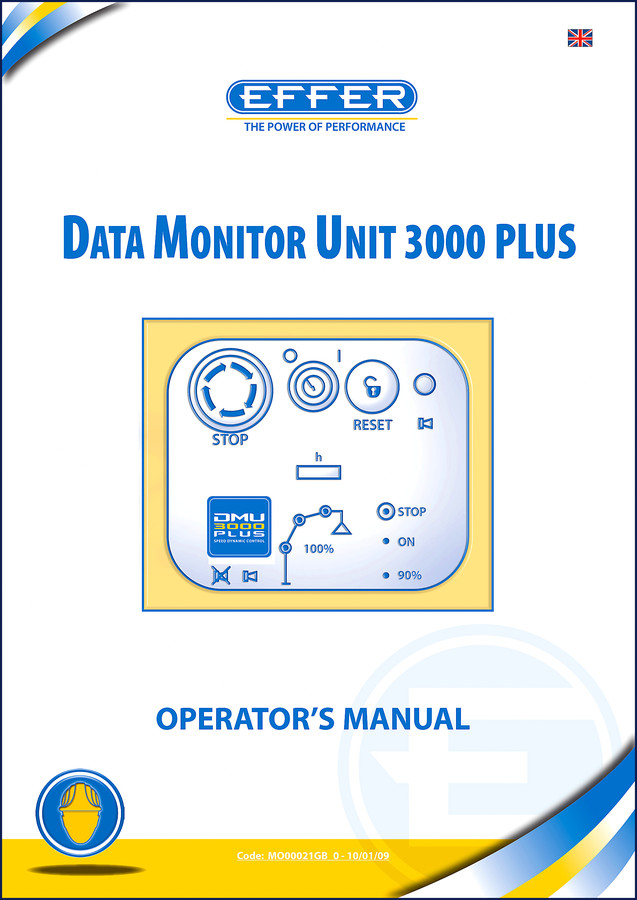
I’ve been turning wrenches and running heavy equipment for 28 years. You learn quick that an electronic overload safety device is not something to guess on. The Effer DMU3000 PLUS 2009 Operators Manual is the only piece of paper I trust when setting up a crane with this EOP system. Aftermarket copies? I’ve seen them miss critical warnings about the secondary panel layout. That gets someone killed. This 66-page factory document comes straight from Effer, code MO00021GB 0-10/01/09. If you operate a DMU3000 PLUS, you read this before you touch the joystick.
DMU3000 PLUS: What This Operators Manual Actually Covers
This isn’t a service manual. It’s an operator’s manual for the actual data monitor unit – the box that keeps the crane from folding over on itself. Chapter 1 kicks off on page 4 with “START OF FUNCTIONING”. That’s where you verify the unit powers up without error codes. Chapter 2 breaks down the control panel function modes: main panel, secondary panel, and optional panels. I’ve had guys try to skip the secondary panel description because they think it’s just a copy. Wrong. The secondary panel handles the SPEED DYNAMIC CONTROL and the STOP override. Skip that and you’ll be wondering why the crane won’t move at 90% load. Chapter 3 walks through starting the DMU3000 PLUS device, including the device functioning check on page 10. That check takes 30 seconds and catches 90% of sensor faults.
Chapter 4 is the meat – “MOVing the CRANE”. It covers opening the crane in safety (section 4.1) and operating with the crane (4.2). There’s a stand-by function in 4.3 that most operators ignore. That function keeps the stabilizer sensors live while you reposition. Miss it and the outrigger warning chime won’t sound. I’ve watched a $200,000 crane tip because someone didn’t understand the stand-by logic. Page numbers? Need the charge pressure? That’s not in this manual because it’s an operator guide, not a service manual. But the load limit parameters? All on the main panel display, explained in section 2.1.
Start-Up Sequence and Safety Checks
Chapter 3 – starting the device – is where most rookie mistakes happen. The manual says you must press the ON switch and wait for the self-test sequence to finish. That takes about 4 seconds. I’ve seen guys jam the joystick forward before the system boots. The DMU3000 PLUS records that as an error. You get a fault code on the LCD that requires a key-cycle reset. The manual covers that on pages 8-10. Also, the “AUTOMATIC SLOWING DOWN” function in section 6.3 (page 19) is worth reading twice. It automatically reduces speed when the boom approaches maximum load. If you override that without understanding the thresholds, you’ll damage the hydraulic cylinder seals. I’ve replaced those seals. It’s a full day job.
Chapter 7 lists additional/optional functions: processing in the front area with automatic performance downgrade, stopping the winch, and filter clogging indicators. That last one – filter clogging – is a huge deal. The DMU3000 PLUS monitors return-line filter restriction. When it hits a certain pressure drop, the display shows a wrench icon. The manual tells you what that icon means and what to do. Don’t ignore it. A clogged filter starves the pilot circuit and the crane jerks. I’ve seen that put an operator through the cab glass.
Does This Manual Cover the Winch and Hydraulics?
Yes – Chapter 5, “WINCH AND ROTOR/BUCKET ADDITIONAL HYDRAULIC JOINT CONNECTION”. Section 5.1 describes the additional hydraulic joint hookup. Section 5.2 is about the winch itself. This isn’t a step-by-step rebuild guide; it’s the correct sequence for connecting the winch hydraulic lines so the DMU3000 PLUS recognizes the attachment. If you plumb it wrong, the load cell reads zero and the overload protection doesn’t engage. There’s a specific order: connect the pressure line first, then the return, then the drain. The manual says so on page 16. Section 5.3 covers use of equipment like rotors and buckets – which require a software configuration in the DMU3000. That’s on page 17. You have to enter the PIN code to change the configuration. Speaking of which…
3 Critical Safety Systems Documented
First – the PIN code system in Chapter 8 (page 30). You set a code to prevent unauthorized operation. The manual covers memorization, practical use, deletion, and changing (sections 8.1–8.4). I’ve used this on job sites where multiple operators share a crane. Set the PIN and only trained guys can move the boom. Second – the “CROSS – STAB” outriggers in Chapter 10 (page 43). That chapter explains how the DMU3000 PLUS monitors outrigger pressure and prevents crane movement if they’re not set. Third – the anomaly/solutions table in Chapter 9 (page 33). That table lists about 20 fault codes with causes and fixes. Example: code E10 – sensor short circuit. Fix: check cable harness. Simple. But without that table you’re pulling your hair out.
Get the Right Operating Procedure Before You Move the Crane
If you’re running an Effer crane with a DMU3000 PLUS, you need this operators manual on the seatbox. Not a PDF on your phone while you’re hanging off the chassis – a printed copy or a tablet that stays. Chapter 6 includes instructions for both “SCANRECO” and “HETRONIC-QUES” radio controls. That’s two different remote systems. The manual shows you exactly how to pair the receiver and what to do if the radio fails. That’s not something you want to learn when the boom is 40 feet up and the remote stops responding. The manual also warns about the “MAXIMUM Boom ELEVATION” control (section 6.4, page 27) – it limits the angle to prevent the cylinder from bottoming out. Ignore that and you’ll blow the end cap seal.
Look, I’ve been around long enough to see the difference between an operator who has read the manual and one who hasn’t. The ones who read it don’t get false overload warnings, don’t damage the DMU3000 board, and don’t send the crane into derate because they bypassed the filter clog sensor. This 66-page document is a direct link to Effer’s engineering. It’s not some reprint from a third party that lost the shading on the panel diagrams. The diagrams in Chapter 2 show every button, every LED color, and every function mode. That alone is worth the price.
Related manuals you might need: Effer DMU2000 Electronic Load Restrictor Service Manual for the older system. If you’re working on a Hitachi excavator with similar safety controls, check the Hitachi ZAXIS225US-3 2007 Operators Manual | OEM Factory Specs. For compact loaders, there’s the LIBRA SK40 Pala Compatta Operator Manual. And if you’re into the fundamentals of transmission diagnostics, the Manual Transmission videos from a reliable source can help with general gearbox theory. For understanding how a traditional Manual Transmission works, look up the basics – but for crane-specific safety, stick with this Effer manual.
Frequently Asked Questions
- Will this manual tell me how to repair the DMU3000 PLUS circuit board?
- No. This is an operators manual, not a service manual. It covers operation, safety checks, PIN code management, and fault code identification. For component-level repair, you need the service manual.
- Do I need to read the entire manual before the first use?
- Yes. The device functioning check on page 10 and the movement sequence in Chapter 4 are mandatory. Skip them and you risk a tip-over or hydraulic damage. Ten minutes reading saves a day of repair.
- What year and language is this manual?
- It’s the 2009 English version, code MO00021GB 0-10/01/09. 66 pages, factory-printed for the DMU3000 PLUS. No aftermarket content, no scanned copies with missing pages.
- Does the manual include the radio control pairing procedures?
- Yes, section 6.1 covers SCANRECO radios and section 6.2 covers HETRONIC-QUES. It includes button sequences and channel selection. If your crane has a different radio, you’ll need the addendum from Effer. This manual only covers those two types.
Access the Factory Manual and keep it in the cab. I don’t care if you’ve been operating for 20 years – the DMU3000 PLUS has specific menus and safety protocols that change with software revisions. This 2009 manual matches the unit on the crane. Don’t trust a PDF from a random forum. Get the real thing.
Additional information
| Brand | Effer |
|---|---|
| Language | English |
3 reviews for Effer DMU3000 PLUS 2009 Operators Manual | OEM Safety Procedures
Only logged in customers who have purchased this product may leave a review.
You may also like…
-
Sale!

CDS 705C, 706C, 708C 1981 Parts Catalog – OEM Forklift Specs
Original price was: $61.60.$40.00Current price is: $40.00. -
Sale!

Acura NSX 1991 Service Manual – 1420 Pages OEM
Original price was: $102.05.$65.00Current price is: $65.00. -
Sale!

Acura Integra 1998 Service Manual – 1891 Pages Factory OEM Documentation
Original price was: $31.75.$25.00Current price is: $25.00. -
Sale!
Effer DMU2000 2002 Service Manual – Electronic Load Restrictor
Original price was: $48.00.$30.00Current price is: $30.00.
Related products
-
Sale!

1993 Electrical Schematic – International 1000/3000/4000 Bus Chassis OEM Wiring Diagrams
Original price was: $29.26.$22.00Current price is: $22.00. -
Sale!
1992 Electrical Schematic – OEM Wiring Diagrams for International 1000-3800
Original price was: $24.48.$18.00Current price is: $18.00. -
Sale!

2006 Service Manual – International DT 466E, 530E Diesel Engine
Original price was: $67.50.$50.00Current price is: $50.00. -
Sale!

2004 Acura TSX Wiring Diagram – 73-Page Factory Electrical Schematics
Original price was: $15.88.$9.99Current price is: $9.99.
pro_mechanic –
I am so happy with this purchase. The pages are clean and easy to navigate. Every wiring layout is included for Effer DMU3000. Highly recommended for mechanics.
diy_master –
Excellent quality! It is easily zoomable on my phone without blur. A must-have for any Effer DMU3000 owner doing maintenance. Saves me so much time.
David K. –
Excellent quality! The file quality is excellent. Every spec sheet is included for Effer DMU3000. I will recommend this shop to others.