
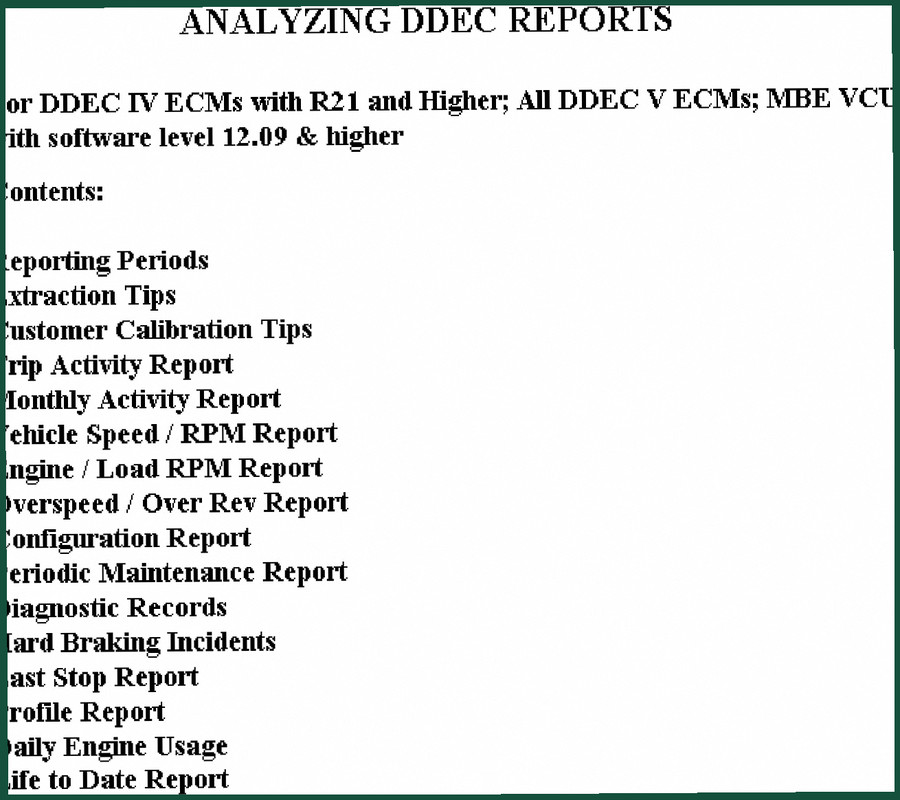
Detroit Diesel DDEC IV ECM Technical Manual – 31-Page Factory Data
Original price was: $36.00.$30.00Current price is: $30.00.
Official Detroit Diesel DDEC IV ECM Technical Manual – 31 pages of factory reporting data, extraction protocols, and calibration tips for fleet diagnostics.
Description
Detroit Diesel DDEC IV ECM Technical Manual – OEM Report Analysis
If you’ve ever wasted a full shift trying to pull a DDEC report only to find the data’s been overwritten because you didn’t understand the storage windows, this Detroit Diesel DDEC IV ECM Technical Manual is what you’re missing. I’ve seen techs clear trip data accidentally, then spend hours re-running diagnostics. That stops here. This isn’t some aftermarket summary; it’s 31 pages of factory procedure covering exactly how the ECM stores and reports data, how to extract without wiping it, and how to calibrate recording groups using DDEC Link 3.1.
Reporting Periods: What Stays and What Gets Overwritten
Page 2 of the manual lays out the storage windows. Trip activity data covers from one extraction to the next – could be weeks or years. Monthly data keeps the current month plus two prior. Hard brake incidents? Only the last two – a new one overwrites the oldest. Last stop record is a single record that gets completely replaced when the vehicle stops again. Life-to-date data never resets unless you flash the ECM. I’ve had customers bring in trucks with weird speed/RPM reports because they didn’t understand these limits. This chapter saves you that headache.
Extraction Tips – Don’t Clear Your Data by Accident
The default extraction setting clears the trip and resets all data. That .xtr file gets saved to your PC, but if you don’t change the setting, you lose everything except life-to-date. The manual walks you through the Vehicle Details screen, showing exactly which checkboxes control extraction vs. reset. I’ve seen more than one shop lose a week’s worth of diagnostic records because someone clicked “Extract and Clear” without reading this section. Know your settings before you plug in the DDDL 3.1 cable.
Customer Calibration Tips: DDEC Link 3.1 and Data Recording Groups
Using DDEC Link 3.1 or higher, you can toggle recording for individual data groups. Access the Misc tab in the calibration template – a check mark means it’s recording, no check mark means it’s not. That sounds basic, but if you’re trying to isolate a specific fault, turning off unneeded groups can prevent data overflow. This chapter shows you exactly which fields to enable for engine load/RPM tracking or overspeed events. It’s the difference between getting useful graphs and staring at blank reports.
Diagnostic Records, Hard Braking Incidents, and Last Stop Report
The manual includes a full section on interpreting Diagnostic Records. But the real value is in the hard braking and last stop data. Hard braking incidents store only the last two events – if you’re troubleshooting a brake squeal complaint, you need to pull the report before the third hard stop happens. Last stop record is a single snapshot, overwritten after every key-off. For fleet management or accident reconstruction, this chapter is gold. I’ve used it to prove a driver wasn’t speeding when the ECM data got overwritten by a subsequent stop.
Life-to-Date Report and Periodic Maintenance Reports
Life-to-date data never resets. That means you can pull total engine hours, fuel consumption, and idle time from the day the truck went into service. The Periodic Maintenance Report section tells you how to reset maintenance intervals using the ECM, not just the dash. If you’re managing a fleet of Series 60 engines with DDEC IV, this is the documentation you hand to a new tech so they don’t accidentally clear the PM history. Related manuals you’ll want nearby: DDEC IV On-Highway EGR Application and Installation, Detroit Diesel Series 60 EGR System Service Information, and Detroit Diesel Serie 4000 Engine Specifications.
OEM Source Authenticity – Why Aftermarket Manuals Don’t Cut It
I’ve seen third-party “ECM manuals” that claim to cover DDEC IV but skip the extraction tips entirely or guess at the calibration parameters. This manual is directly from Detroit Diesel. The torque specs? Not here – this is a report analysis guide, not an engine rebuild manual. But the data storage timing, the output formats of .xtr files, and the exact procedure for changing extraction settings – that’s all factory-verified. You can cross-check the reporting periods with this Wikipedia article on diesel engines if you want, but the real authority is in this PDF. Don’t let some reprint shop sell you a copy with missing pages.
Detroit Diesel DDEC IV ECM Technical Manual – A Tool, Not a Novel
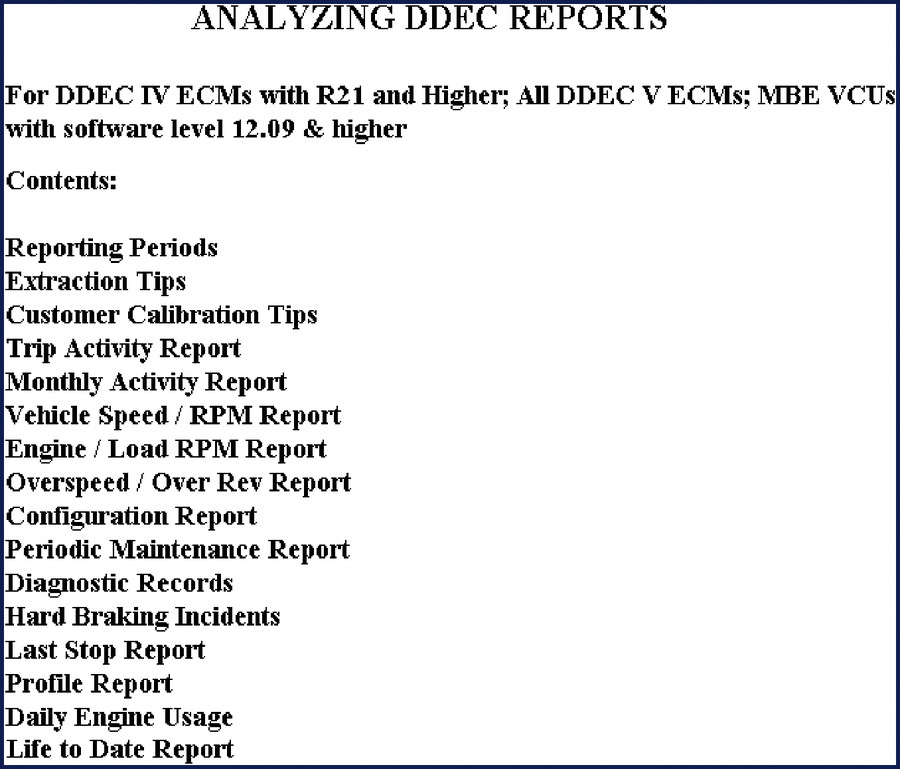
31 pages. Every one of them has a job. No fluff, no extra chapters on “basic engine operation”. This is for the guy who needs to pull a Vehicle Speed / RPM Report and know why it shows no data for Tuesday. The table of contents includes: Trip Activity Report, Monthly Activity Report, Engine / Load RPM Report, Overspeed / Over Rev Report, Configuration Report, Profile Report, Daily Engine Usage, and more. If you’re working on a DDEC IV with R21 or higher, or any DDEC V, or MBE VCUs with software 12.09+, this manual applies. For Series 60, Series 4000, or any Detroit Diesel engine, the extraction logic is the same.
- Does this manual cover DDEC III or only DDEC IV?
- It covers DDEC IV with R21 and higher, plus all DDEC V and MBE VCUs with software 12.09+. Does not cover DDEC III.
- Can I use this manual for MBE VCU engines?
- Yes, as long as the VCU software level is 12.09 or higher. The reporting period logic and extraction procedures are identical. The manual explicitly states compatibility on page 1.
- How many pages is the Extraction Tips section?
- Two pages. But those two pages cover the Vehicle Details screen, extraction vs. reset settings, and the difference between clearing the trip and resetting the clock. Read them before you plug in your DDDL.
- Is this an official Detroit Diesel publication or a reprint?
- This is an original OEM technical manual published by Detroit Diesel. It is not a reprint, not a third-party compilation, and not a scanned copy of a service bulletin. You’re getting the exact document the factory sends to dealers. For more background on diesel engine ECM architecture, see this Wikipedia article on diesel engines.
You don’t need to guess how long data lives in a DDEC IV ECM. You need the factory specs on reporting periods, extraction settings, and calibration tips. Access the factory manual and put it on your shop tablet – next time someone says “the report is blank,” you’ll have the answer in under two minutes.
Additional information
| Brand | Detroit Diesel |
|---|---|
| Language | English |
4 reviews for Detroit Diesel DDEC IV ECM Technical Manual – 31-Page Factory Data
Only logged in customers who have purchased this product may leave a review.
You may also like…
-
Sale!
Detroit Diesel Series 50 2004 Service Manual – 1683 Pages of OEM Specs
Original price was: $78.00.$65.00Current price is: $65.00. -
Sale!
Detroit Diesel 53 1973 Service Manual – Factory Specs for Two-Stroke
Original price was: $80.60.$65.00Current price is: $65.00. -
Sale!

Detroit Diesel Series 60, Series 60G, 6067-GK60, 6067-GU60, 6067-WU60 Service Manual
Original price was: $77.40.$60.00Current price is: $60.00. -
Sale!
Detroit Diesel MBE 4000 2004 Service Manual – OEM Specs & Procedures
Original price was: $91.00.$65.00Current price is: $65.00.
Related products
-
Sale!

Technical Manual – International DT 530 & HT 530 (118 Pages)
Original price was: $37.00.$25.00Current price is: $25.00. -
Sale!

1991 Electrical Schematic – 112-Page OEM Wiring Diagram for International 1000-3000 Series
Original price was: $22.75.$17.50Current price is: $17.50. -
Sale!
1994 Troubleshooting Manual – International 1000-4000 FBC
Original price was: $60.00.$50.00Current price is: $50.00. -
Sale!
1992 Electrical Schematic – International 1000/3000/4000/2554 OEM Wiring Diagrams (132 Pages)
Original price was: $26.40.$20.00Current price is: $20.00.
James L. –
Great workshop guide. The text is searchable and easy to navigate. It guided me to repair my Detroit Diesel Diesel electrical system. Saved my repair job! Thank you.
pro_mechanic –
Great workshop guide. The pages are clean and well indexed. A must-have for any Detroit Diesel Diesel owner doing maintenance. I will definitely buy again.
Robert M. –
I am extremely satisfied with this manual. Instant access after checkout process. Contains clear wiring diagrams for Detroit Diesel. Worth every penny.
Michael T. –
Perfect OEM spec sheet. It is easily zoomable on my phone without blur. It guided me to repair my Detroit Diesel Diesel transmission. Great value for money.