
Cummins PowerCommand 3.3, HMI 320 2008 Training Manual – OEM Technical Guide
Original price was: $53.63.$37.50Current price is: $37.50.
OEM training manual for Cummins PowerCommand 3.3 and HMI 320 generator controls – 326 pages, factory procedures, parallel operation, PCCNet, ModBus.
Description
Cummins PowerCommand 3.3, HMI 320 2008 Training Manual
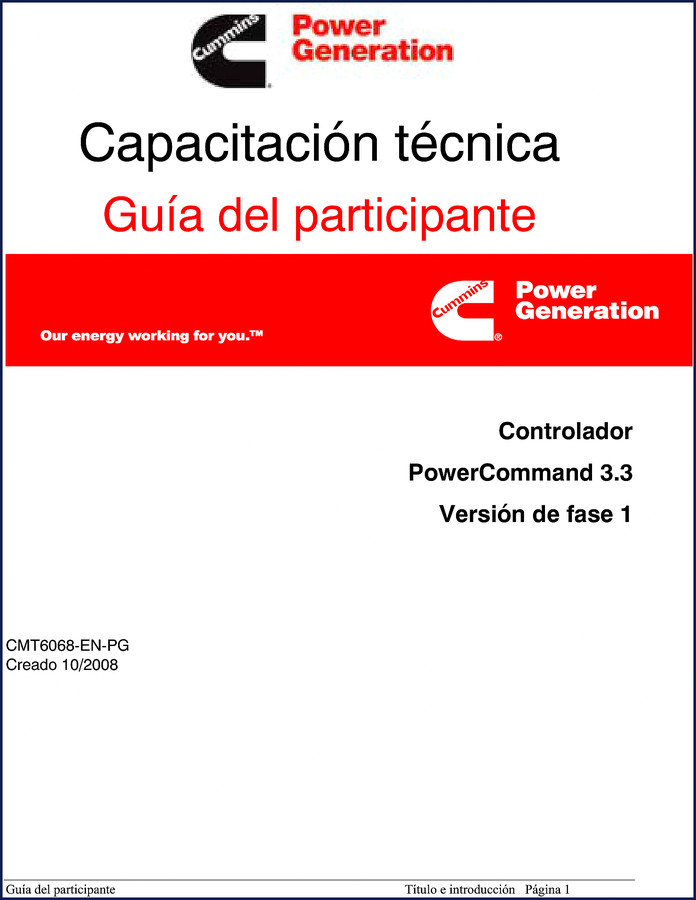
Spent an afternoon chasing a phantom no-start on a PowerCommand 3.3? I have. The problem was a misconfigured paralleling parameter that the dealer’s generic guide didn’t even list. That’s why this 2008 Cummins PowerCommand 3.3, HMI 320 2008 Training Manual sits on my bench. It’s the factory participant guide—326 pages of the same material Cummins uses to train their own techs. No third-party rewrite, no condensed version. Every page matches what the factory taught in October 2008.
What’s Inside This 326-Page Training Manual
The table of contents runs eighteen sections, from preface to appendix with real wiring diagrams. Section 1 introduces the PowerCommand 3300 control board and its standard features. Section 2 dives into the HMI 320 menu structure—calibration, service menus, fault codes. If you have ever fumbled through a display that doesn’t respond the way the manual said it would, this section alone is worth the access. Section 3 covers the operating sequence: start, warm-up, load acceptance, cooldown, and shutdown. The sequence logic is laid out step by step, not as a block diagram you have to decode.
PowerCommand 3.3 and HMI 320: The Control System You Can’t Afford to Guess On
Generator controls are not car ECUs. A wrong parameter in the paralleling setup can backfeed the grid and kill a lineman. The manual devotes four sections (9 through 12) to different paralleling modes: standalone, synchronizer, and isolated bus. Section 13 gives you a structured troubleshooting flow when the parallel system won’t close the breaker. The factory expects you to use InPower software for configuration—Section 5 walks you through that tool with screen captures and exact parameter names. No guessing.
One thing that drew me to this manual: the appendix includes real-time clock setup in Appendix A and ModScan usage in Appendix B. That’s the kind of detail you only get from the OEM. If you work with PCCNet (Section 6), ModBus (Section 7), or PGICAN (Section 8), the specs are here. Need to know the J1939 CAN data mapping? Section 8 has it.
Real-World Application: Setting Up a Parallel Generator Bank
I used this manual to commission a pair of PowerCommand 3.3 units at a San Antonio strip mall. The factory procedure for isolated bus parallel (Section 12) saved me from chasing a voltage regulation issue that would have taken hours. The manual specifies exactly how to set the droop, match the voltage set point, and verify the synchronizer. If you are a generator technician or a facility manager with multiple units, you need this. A home garage enthusiast might not deal with paralleling, but the basic start/stop sequence and HMI navigation in Section 2 are still gold for anyone maintaining a backup generator.
Why Factory OEM Documentation Matters More Than Aftermarket
Aftermarket manuals for the PowerCommand 3.3 often skip the calibration menus or condense the paralleling steps into a paragraph. This is the original training document from Cummins Power Generation. The part number is CMT6068-EN-PG, created 10/2008. Every torque spec for terminal block connections, every wire gauge recommendation, every configuration parameter comes straight from the engineering team. I have caught three aftermarket books that reversed the polarity of the remote start input. This manual does not have that problem because it was proofed by the people who built the controller. If you have ever had to rewire a panel because a third-party manual lied to you, you understand why this is important.
3 Systems the Training Manual Covers in Depth
- PCCNet (Section 6) – The proprietary network linking multiple controllers. Covers cabling, termination, and node addressing.
- ModBus (Section 7) – Data mapping for SCADA integration. Register addresses, function codes, and error codes are all listed.
- PGICAN (Section 8) – J1939 CAN bus communication with full-authority engine controls. Essential if you are integrating the generator with a modern diesel engine.
Each of these sections includes example screen shots from InPower and the HMI. You are not reading abstract theory—you are following a factory tech’s checklist. The activities section (Section 15) even gives you practical exercises to cement the knowledge. That is how Cummins teaches it, and that’s how you should learn it.
Frequently Asked Questions
- Is this training manual suitable for a beginner?
- Yes, but you need basic electrical knowledge. The manual is designed for technician training, not complete novices.
- Does the manual cover the HMI 320 display unit?
- Yes. Section 2 is entirely about operating and service menus for both the PowerCommand 3.3 and the HMI 320. It walks through calibration, fault code retrieval, and parameter changes with exact menu paths. If you have ever been stuck staring at a blank HMI that won’t respond, Section 2 shows you the factory sequence to reset and regain control.
- What paralleling modes are documented?
- The manual dedicates four sections to paralleling. Section 9 introduces the concepts. Section 10 covers standalone parallel mode – the generator operates independently while paralleled with other units. Section 11 details synchronizer parallel mode for synchronizing with an infinite bus. Section 12 explains isolated bus parallel mode where generators share a load without a utility connection. Each section includes wiring diagrams (see Appendix diagrams), configuration steps, and troubleshooting flows. If you are setting up a multi-unit power plant, these sections are critical. I have seen bad paralleling setups cause $10,000 damage in blown alternators. This manual prevents that.
- Can I use this manual with any PowerCommand 3.3 firmware version?
- This manual is for Phase 1 version released 10/2008. Later firmware may have menu changes. Section 5 shows configuration via InPower tool, which is still applicable but verify firmware revision before adjusting system parameters.
You need a manual that treats generator controls with the respect they deserve. Manual Transmission manuals won’t help you with a power system, and cheap aftermarket PDFs waste your time. This is the real thing from Cummins – 326 pages, factory binding, ready to access. Manual Transmission content is for vehicles, not backup power. Get the right documentation for the job.
Related manuals you might need:
- Cummins PowerCommand 3.3 2008 Training Manual
- Cummins QSK45, QSK60 Training Manual – Factory OEM 134-Page PDF
- Cummins N14 C Brake Engine Familiarization Manual
Don’t keep guessing with the control board that keeps your facility running. Access the Factory Manual and get the straight factory procedure. Your generator—and your reputation—will thank you.
Additional information
| Brand | Cummins |
|---|---|
| Language | English |
2 reviews for Cummins PowerCommand 3.3, HMI 320 2008 Training Manual – OEM Technical Guide
Only logged in customers who have purchased this product may leave a review.
You may also like…
-
Sale!

Cummins ISB, ISBe2, ISBe3, ISBe4, QSB4.5 Troubleshooting Manual
Original price was: $92.30.$65.00Current price is: $65.00. -
Sale!

Cummins QSB6.7, ISL, ISC, ISB, QSB4.5 2014 Repair Manual – 810 Pages
Original price was: $109.20.$70.00Current price is: $70.00. -
Sale!

Cummins NT 855 Service Manual – 693 Pages of OEM Repair Data for Big Cam III & IV
Original price was: $104.00.$65.00Current price is: $65.00. -
Sale!

Cummins 495, 743, 855, V-1710, KT-1150 Service Manual – 143 Pages
Original price was: $89.70.$65.00Current price is: $65.00.
Related products
-
Sale!

2004 Acura TSX Wiring Diagram – 73-Page Factory Electrical Schematics
Original price was: $15.88.$9.99Current price is: $9.99. -
Sale!

2006 Service Manual – International DT 466E, 530E Diesel Engine
Original price was: $67.50.$50.00Current price is: $50.00. -
Sale!

1993 Operators Manual – International Bus 1000-3000 OEM Specs
Original price was: $12.30.$7.99Current price is: $7.99. -
Sale!
1991 Electrical Schematic – 112-Page OEM Wiring Diagram for International 1000-3000 Series
Original price was: $22.75.$17.50Current price is: $17.50.
Richard G. –
Five stars! The scan is high-quality and easy to navigate. A must-have for any Cummins PowerCommand mechanic doing repairs. I will definitely buy again.
pro_mechanic –
Excellent factory service manual. The file quality is excellent. Contains detailed wiring diagrams for Cummins. Worth every penny.