
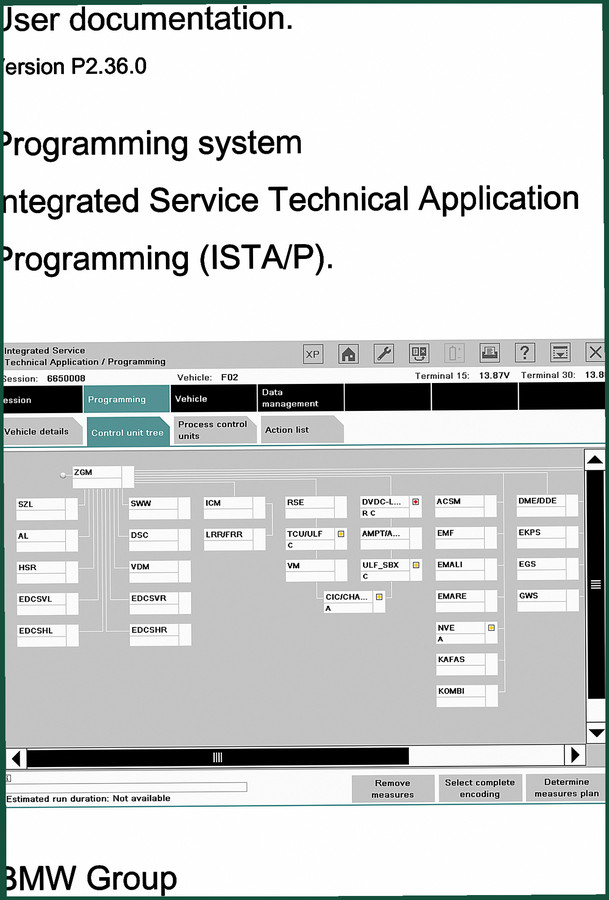
BMW E31, E-series, E36, E32, E34 2009 User Manual – ISTA/P Programming Guide
Original price was: $11.59.$7.99Current price is: $7.99.
Factory ISTA/P user manual for BMW E31, E32, E34, E36, E-series. 143 pages covering programming, encoding, and control unit replacement.
Description
BMW E31, E-series, E36, E32, E34 2009 User Manual
You got a BMW E-series on the lift and you’re staring at the ISTA/P screen with no idea what to click next. I’ve been there. That’s why this manual exists. It’s the factory documentation for the Integrated Service Technical Application Programming system. Not a generic guide, not a rewritten copy. This is the actual 143-page user manual from BMW AG, dated November 2009, version P2.36.0. If you’re working on an E31, E32, E34, or E36, you need the programming routine specific to that chassis. This manual has it.
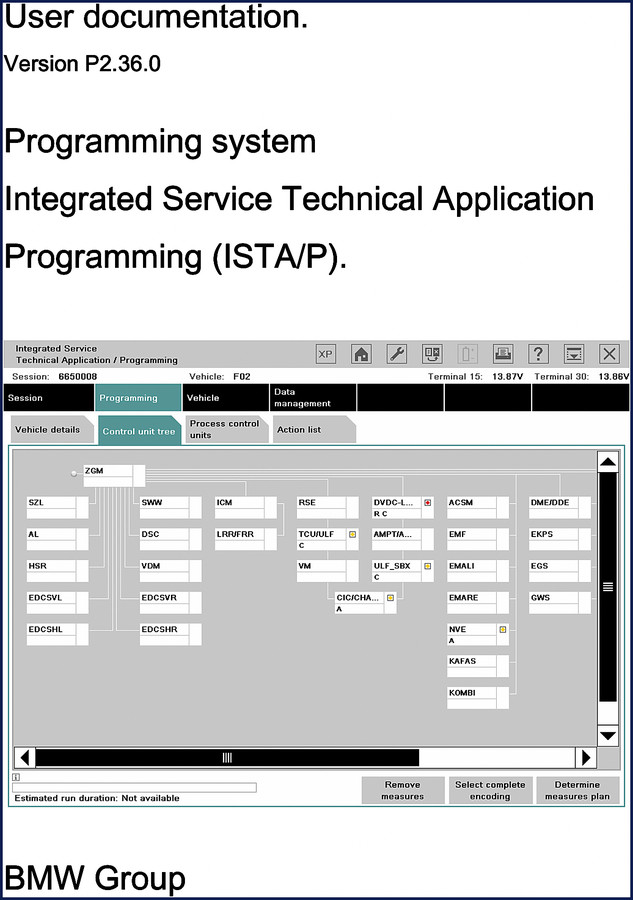
Programming Routines for E31, E32, E34, and E36
The manual breaks down programming by chassis generation. Section headings from the table of contents: “Programming routine for E-series as of E36” (page 71) and “Programming routine for E-series E31, E32, E34” (page 85). Why two routines? The E36 uses a different diagnostic interface and control unit tree than the earlier E31/E32/E34. On page 71 you get the steps for E36 models – terminal voltage checks, ICOM initialization, measure plan selection. Page 85 covers the older generation where you have to manually select the control unit group and confirm encoding via DME/DDE. Miss that difference and you’ll be chasing ghost faults for hours.
Page 71 vs Page 85: Why the Separation Matters
Page 71 walks you through the E36’s integrated control unit tree – everything from ZGM to ACSM. Page 85 dives into the E31/E32/E34 sequence where the DME and EGS are separate. The manual also includes installation locations of the OBD diagnostic socket and MOST bus (page 96). Those locations differ between the E31 and E36. You won’t find that in a DIY YouTube video. For the E31 8 Series, check the BMW E31 8 Series Electrical Troubleshooting Manual alongside this one to understand the wiring before you plug in the ICOM.
Car & Key Memory (CKM) and Control Unit Replacement
Two sections that save your ass: “Car & Key Memory (CKM)” on page 46 and “Replacing control units” on page 49. CKM is where you code the vehicle order – VIN, type, options. Replace a control unit without running the CKM procedure and the car won’t recognize the new module. The manual explains how to navigate the ISTA/P data management menu (page 34) to write the vehicle order. If you’re flashing a DME on an E36, you also need to use the IBAC enabling codes from the “Conversions and retrofits” section (page 39). Don’t skip that step or the engine will run in limp mode.
Why OEM Documentation Beats Aftermarket Every Time
I’ve seen third-party reprints that omit the “Preparatory and follow-up work on vehicle programming/encoding” section (page 13). That section covers battery charger requirements – minimum 13.8V at 50 amps – and the ICOM connection sequence. Ignore that and you might drop the supply voltage during a flash, bricking the control unit. This manual is direct from BMW AG, not a scanned copy with missing pages. For updated procedures, see the BMW ISTA/P Version P3.58.x User Documentation Manual for later software versions. And if you’re working on a different platform, the BMW R 1150 RT Maintenance Schedule Service Manual covers mechanical service, not programming.
Audience: Who This Manual Is For
DIYer with a late-model E36? You need this if you’re swapping modules or doing a DME flash. Professional tech? It covers the exact ISTA/P interface – “Call Back, main functions, overview of functions of ISTA/P” (page 18). Beginners? Read the “General information on ISTA/P” section first. The manual doesn’t hold your hand, but it tells you exactly which button to press and in what order. For general automotive industry standards, read Automotive Industry Overview. And if you’re working on a manual transmission car, the programming routine for the EGS (transmission control unit) is covered in the E31/E32/E34 section; for mechanical repair, refer to Manual Transmission.
- Does this manual cover the fuel system?
- No. This is a user manual for the ISTA/P programming system, not a service manual. It covers software procedures, not mechanical repairs.
- What torque specs does it include?
- None. This manual is about programming and encoding control units. For torque values, get the appropriate BMW TIS or factory repair manual. The only specs here are voltage levels and diagnostic signal requirements.
- Can I use this for a 2008 E90?
- No. This manual is specifically for E31, E32, E34, and E36 chassis from the 2009 ISTA/P version. E90 is F-series or later. There is a separate programming routine for F-series on page 58. You need the F-series manual.
- What is the difference between this and the BMW TIS?
- TIS (Technical Information System) provides repair instructions, wiring diagrams, and component locations. This ISTA/P user manual covers the software used to program and encode control units. Two different tools. If you are flashing a DME, you need both. TIS tells you what to replace; this manual tells you how to tell the car it has a new part.
You want to program a control unit on an E31 or E36 without turning it into a brick? Get the factory documentation. Access the Factory Manual from AutoRepairManuals and keep it open next to your diagnostic laptop. It’s 143 pages of exactly what the dealership techs use.
Additional information
| Brand | BMW |
|---|---|
| Language | English |
2 reviews for BMW E31, E-series, E36, E32, E34 2009 User Manual – ISTA/P Programming Guide
Only logged in customers who have purchased this product may leave a review.
You may also like…
-
Sale!

BMW 525i, 530i, 535i, 540i Service Manual – 459 Pages Factory Specs
Original price was: $73.20.$60.00Current price is: $60.00. -
Sale!

BMW 735i, 735iL, 740i, 740iL, 750iL Service Manual – 987 Pages
Original price was: $102.05.$65.00Current price is: $65.00. -
Sale!

BMW 525i, 530i, 535i, 540i Service Manual 1989-1995 Factory Specs
Original price was: $96.00.$60.00Current price is: $60.00. -
Sale!

BMW M3, 323i, 325i, 325xi, 328i Service Manual – 1258 Pages
Original price was: $93.00.$60.00Current price is: $60.00.
Related products
-
Sale!

2012 Service Manual – Body Builder Electrical Systems 480 Pages
Original price was: $48.28.$34.00Current price is: $34.00. -
Sale!

1991 Electrical Schematic – 112-Page OEM Wiring Diagram for International 1000-3000 Series
Original price was: $22.75.$17.50Current price is: $17.50. -
Sale!
1992 Electrical Schematic – International 1000/3000/4000/2554 OEM Wiring Diagrams (132 Pages)
Original price was: $26.40.$20.00Current price is: $20.00. -
Sale!
1992 Electrical Schematic – OEM Wiring Diagrams for International 1000-3800
Original price was: $24.48.$18.00Current price is: $18.00.
Thomas B. –
This is exactly what I needed. It is easily zoomable on my phone without blur. A must-have for any BMW E31, DIYer doing maintenance. Saves me a lot of money.
Robert M. –
Perfect factory service manual. Immediate link after checkout process. A must-have for any BMW E31, owner doing maintenance. Saved my repair job! Thank you.