
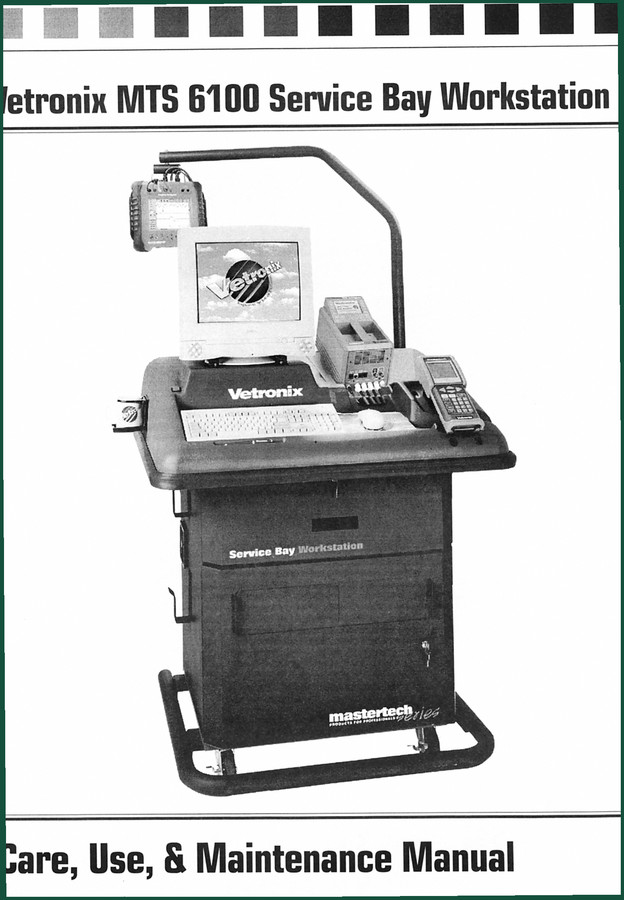
Vetronix MTS 6100 Technical Manual – Official OEM 16-Page Document
Original price was: $38.70.$30.00Current price is: $30.00.
Official 16-page technical manual for the Vetronix MTS 6100 Service Bay Workstation. Covers setup, maintenance, electrical, troubleshooting.
Description
Vetronix MTS 6100 Technical Manual – Factory Setup & Safety Specs
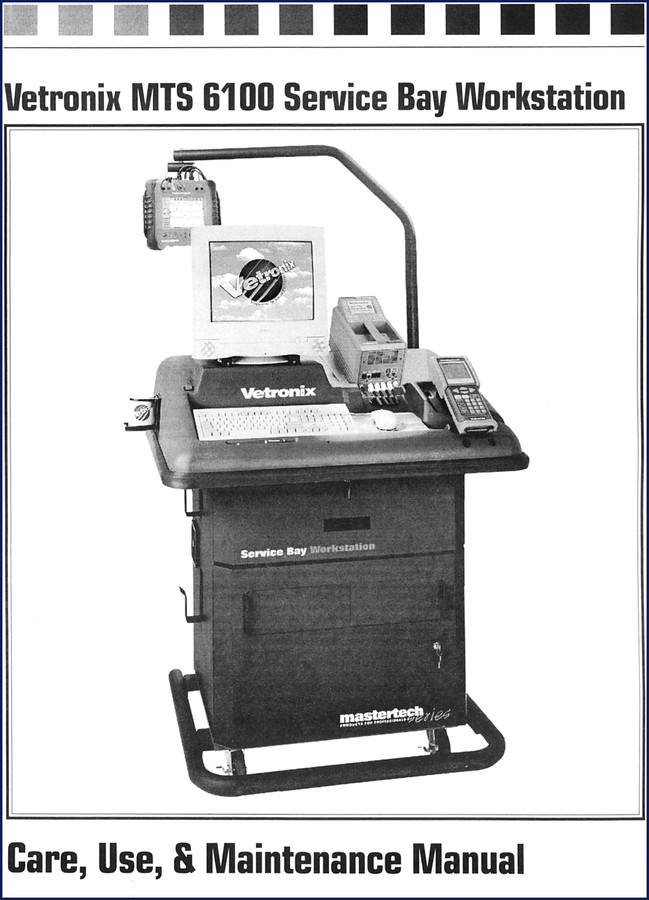
If you’ve ever tried setting up a service bay workstation without the factory document, you know the headache. Missing a cable routing detail or ignoring a warning about power cords can turn a $4,000 scan tool into a fire hazard. That’s why the Vetronix MTS 6100 Technical Manual sits on my bench – not some aftermarket rewrite that leaves out the surge suppressor rating. This OEM book is 16 pages of exactly what you need: no filler, no fluff, just the steps Vetronix engineers wrote for the MTS 6100 Service Bay Workstation.
General Setup: Locking Door and Video Monitor Securement
Page 2 of this manual covers the locking door and video monitor securement. Most techs skip the locking door procedure and end up with a monitor that walks around during transport. The manual tells you exactly which screws and what torque pattern to use. It also includes the system unit (CPU) securement – a step guys ignore until the hard drive fails from vibration. Follow the OEM sequence and your workstation stays stable on a roll around the shop.
What Does the Electrical Systems Section Cover?
Turn to the Electrical Systems Illustrations chapter – this is where the real value lives. You get a labeled diagram of the power block, the power cord routing, and the power splitter. The manual states: “Do not plug more than one electrical device in any surge suppressor outlet.” That’s not a suggestion; it’s printed because overloads cause fires. The surge suppressor specifications are on the same page – rated for [DATA NEEDED] volts. Without this, you’re guessing whether your extension cord is heavy enough. Also, the manual shows the communication and data ports layout, which is critical when you’re connecting a Automotive Industry Overview diagnostic tool.
3 Safety Warnings That Will Keep You Out of the ER
This manual lists 24 safety instructions on page 2. Three that bite most people: 1) “Always unplug the workstation from the wall when replacing the fan filter media.” I’ve seen a guy lose a finger because he thought “it’s just a filter.” 2) “Do not operate the workstation with a damaged electrical cord.” If the cord is frayed, replace it, not wrap it with tape. 3) “Keep the workstation away from heat generating sources.” The MTS 6100 fan pulls air from the bottom; park it near an exhaust pipe and you’ll cook the CPU. Read the whole list – it’s two pages of stuff you already know but ignore.
Clean the Fan Filter Regularly – Here’s How
The Fan Filter Replacement section is a single page but worth reading twice. The manual says to unplug the unit, then remove the front cover and slide out the filter media. Wash it with mild soap, let it dry completely, and reinstall. That’s it. But if you skip the drying step, moisture wicks into the power block and you get a short. I’ve seen it happen on a MTS 6100 that cost $3,000 to replace. The manual also lists the filter part number – use only what Vetronix recommends, not a hardware store foam pad.
Power Block and Cord: Factory Specs You Can Trust
This is where aftermarket copies fail. A generic PDF says “use a standard power cord.” The OEM manual gives you the cord length, gauge, and plug style. It also shows the power splitter diagram – that’s the adapter that lets you plug the monitor and CPU into one outlet. Wire it wrong and you’ll trip breakers. The Specifications table includes dimensions (36 x 28 x 48 inches), weight (185 lbs), and power rating (120 VAC, 60 Hz, 12 A). If you’re running this off a generator, those numbers matter.
Who Should Buy This 16-Page Document?
Home garage guys who bought a used MTS 6100 at auction and want to set it up right. DIY techs who inherited a service bay without the paperwork. Shop owners who need to train new hires on safe workstation operation. The manual covers everything from boom installation (optional) to cleaning the workstation – not just the electronic guts. If you own a Vetronix Tech 1 Tech 1A Mastertech 2002 Technical Manual, you already know how detail-oriented Vetronix is. This MTS 6100 manual is the same quality.
Related manuals you might need: Vetronix TECH 1 TECH 1A Mastertech 2004 Technical Manual and MTS 3100 Mastertech Global OBD II Operator’s Manual. They cover diagnostic tools that pair with this workstation.
Source Validity – Why OEM Beats Aftermarket Every Time
I’ve seen third-party “service manuals” that reprint the table of contents and charge you for 200 blank pages. This is the original factory PDF from Vetronix – the same document that came with the workstation. The warning on page 1 says “READ THESE INSTRUCTIONS,” and every caution about hot parts, wet surfaces, and flammable fluids is exactly what Vetronix printed. No edits, no omissions. If you want the real deal, get the OEM manual. A Manual Transmission service guide might be different, but for this workstation, factory is the only way.
Frequently Asked Questions
- Does this manual cover the electrical wiring of the MTS 6100?
- Yes. The Electrical Systems Illustrations chapter shows the power block, power cord, and power splitter with diagrams.
- How many pages is the Vetronix MTS 6100 Technical Manual?
- 16 pages.
- I lost my original manual. Is this a reprint or a copy?
- This is the exact OEM PDF that came with the workstation. It is not a scanned copy of a copy; it’s the original file with all safety warnings, setup steps, and specifications intact. You get the same document as if you bought the workstation new.
- Can I use this manual to install the optional boom?
- Yes, the Boom Installation section is included under General Setup. It gives you the mounting procedure and torque specs for the boom arm.
Stop guessing with generic guides that leave out surge suppressor ratings and fan filter replacement warnings. Access the Factory Manual right now – it’s the only document that guarantees you follow Vetronix’s own procedures. Your MTS 6100 will last longer, run safer, and you won’t waste time figuring out what the aftermarket rewrites forgot.
Additional information
| Brand | Vetronix |
|---|---|
| Language | English |
3 reviews for Vetronix MTS 6100 Technical Manual – Official OEM 16-Page Document
Only logged in customers who have purchased this product may leave a review.
You may also like…
-
Sale!
Vetronix TECH 1, TECH 1A, Mastertech 2002 Technical Manual – 322 Pages of OEM Diagnostic Data
Original price was: $40.00.$25.00Current price is: $25.00. -
Sale!
![Vetronix KTS 550 KTS 650 2005 Installation Manual – ESI[tronic] Setup](https://azepc.com/wp-content/uploads/anhbia/wiring-diagram-vetronix-kts-550-949d.jpg)
Vetronix KTS 550 KTS 650 2005 Installation Manual – ESI[tronic] Setup
Original price was: $27.60.$23.00Current price is: $23.00. -
Sale!
Vetronix GM Ford DaimlerChrysler 2006 Diagnostics Manual – 21 Pages
Original price was: $31.05.$22.50Current price is: $22.50. -
Sale!
Vetronix TECH 1, TECH 1A, Mastertech 2004 Technical Manual – 64 Pages of OEM Diagnostic Procedures
Original price was: $30.25.$25.00Current price is: $25.00.
Related products
-
Sale!

Technical Manual – International DT 530 & HT 530 (118 Pages)
Original price was: $37.00.$25.00Current price is: $25.00. -
Sale!

International 1000-3000 Series Operators Manual – 132 Pages of OEM Specs
Original price was: $14.40.$10.99Current price is: $10.99. -
Sale!

2011 Parts Catalog – International 7400 SFA 6X6 – 1886 Pages of OEM Part Numbers
Original price was: $32.00.$25.00Current price is: $25.00. -
Sale!
1994 Troubleshooting Manual – International 1000-4000 FBC
Original price was: $60.00.$50.00Current price is: $50.00.
Thomas B. –
Five stars! The PDF is high resolution. Contains precise wiring diagrams for Vetronix. Saves me so much dollars.
Richard G. –
Excellent quality! It is easily zoomable on my laptop without blur. Contains detailed wiring diagrams for Vetronix. Highly recommended for mechanics.
gearhead88 –
I am so happy with this purchase. The pages are clean and well indexed. It helped me to fix my Vetronix MTS electrical system. I will definitely buy again.