
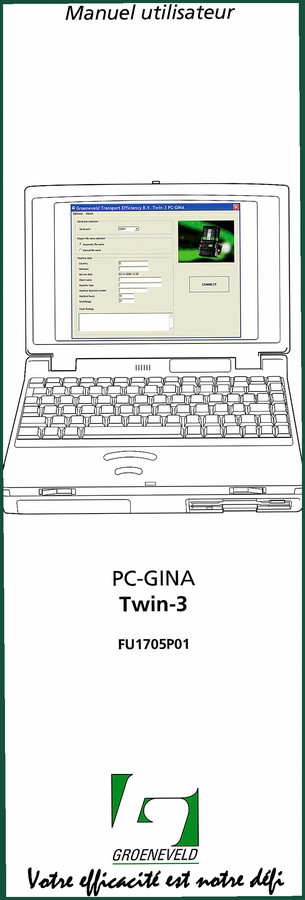
Groeneveld Twin-3 PC-GINA 2009 User Manual – Config & Diagnostics
Original price was: $10.31.$7.99Current price is: $7.99.
Factory manual for Twin-3 PC-GINA lubrication controller. 68 pages, 2009, parameters, diagnostics, error logs.
Description
Groeneveld Twin-3 PC-GINA 2009 User Manual
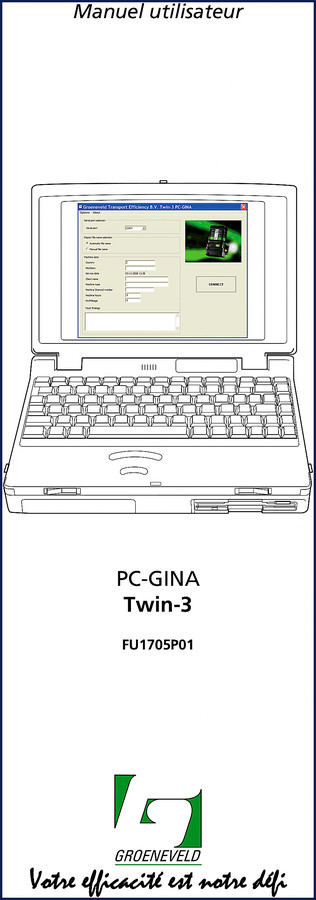
You’re trying to program a Groeneveld Twin-3 PC-GINA automatic lubrication controller. I’ve watched good mechanics burn a whole afternoon because they didn’t have the right software guide. This is the factory User Manual—68 pages of instructions published in 2009 by Groeneveld, not some third-party copy. Page 3 lays out the full table of contents: 10 chapters covering installation, startup, menus, parameters, diagnostics, total counters, error history, event history, and reports. That’s everything from initial PC-GINA software setup to exporting PDFs of fault logs.
Installation and Software Setup
Chapter 1 walks you through minimum system requirements (section 1.1), how to install the software (1.2), and how to uninstall it cleanly (1.3). If you’ve ever had a misbehaving driver file corrupt your communication, you’ll appreciate that the manual tells you exactly which folders to purge. Chapter 2 covers first launch, validation, working offline, and connecting to the pump. The offline mode section (2.3) shows you how to add machine data to a saved report—handy when you’re troubleshooting in the shop without a live connection.
What Can the Diagnostic Section Do for You?
Chapter 6 is where this manual earns its keep on the bench. It covers mode selection, lubrication mode, output indicators, interval timers, input indicators, CAN bus status, variable counters, pending errors, pump phase acceleration, and manual output control. Sections 6.13 through 6.17 walk you through single and multiple test cycles, test switch control, pressure switch circuit checks, and interval timer verification. I’ve used these procedures to find a stuck solenoid in ten minutes instead of three hours. Don’t guess—run the cycle test.
Understand the Parameter Settings Before You Start
Chapter 5 is deep. Timer group parameters, activation options (external pin selection, lamp output disable, low-level pump stop, additional I/O functions), and CAN bus settings including J1939 mode with default configurations. Section 5.6 covers the Restore and Save buttons—factory defaults, FLASH defaults, and customer presets. If you’ve ever had a customer’s custom profile vanish after a firmware update, you’ll want to read 5.6.4 and 5.6.6. The manual also explains how to send parameters to the Twin-3 controller (button 5.5) and save/load settings from a file (5.6.2–5.6.3).
Error History: How to Read Fault Codes
Chapter 8 gives you an overview of available time periods for error log review. You can select a period, view the errors, and save the selection as a PDF for your record—or to hand to a field tech. Chapter 9 does the same for event history, with descriptions of error events (9.2.1) and the ability to clear the log (9.5). Combined with the total counters in Chapter 7 (system counters, error counters by defect category, and indication counters), you can baseline a machine’s health before and after a repair.
10 Chapters Covering All Twin-3 Operations
The manual doesn’t stop at diagnostics. Chapter 10 handles reports: displaying saved files, adding machine or claim data (section 10.3 has tabs for machine data and claim data), printing, saving as PDF, importing, and exporting. This is the complete software lifecycle documentation. If you need the hardware installation steps for the physical pump, grab the Groeneveld TWIN-3 858 Installation Manual”>Groeneveld TWIN-3 858 Installation Manual as a companion. For older pump revisions, the Groeneveld TWIN-3 Installation Manual”>Groeneveld TWIN-3 Installation Manual covers the basics, and the Groeneveld TWIN-3 818 Installation Manual”>Groeneveld TWIN-3 818 Installation Manual is specific to that variant. The PC-GINA software interfaces with all of them.
Why OEM Documentation Matters
I’ve had guys hand me a printed sheet from some forum claiming the timer interval should be set to 30 minutes. The factory manual gives you the real parameters in section 5.2–5.3. Groeneveld built the Twin-3 PC-GINA system. Their documentation includes the exact CAN bus IDs, the external pin assignments (section 5.3.1), and the factory default settings. Aftermarket translations often miss the nuances—don’t trust them.
For a broader understanding of how these lubrication systems integrate with vehicle drivelines, you might read about Manual Transmission”>Manual Transmission basics on Wikipedia. Another good reference is the Manual Transmission”>Manual Transmission article for driveline lubrication principles. The Twin-3 often gets installed on heavy-duty truck transmissions.
- Does this manual cover physical installation of the pump hardware?
- No.
- What format is the manual available in?
- The manual is delivered as a digital PDF file. It is the original OEM PDF published by Groeneveld in 2009, not a scan or reprint. The file includes the full table of contents, clickable bookmarks, and all 68 pages. You can search, print, or view it on any device. After purchase, you get a direct access link—no waiting for a CD or paper copy.
If you’re working on a Groeneveld Twin-3 PC-GINA system, you need the factory document. Don’t waste time tracking down specs from unreliable sources. Access the Factory Manual now and get the correct installation, parameter, and diagnostic procedures right on your screen.
Additional information
| Brand | Groeneveld |
|---|---|
| Language | English |
3 reviews for Groeneveld Twin-3 PC-GINA 2009 User Manual – Config & Diagnostics
Only logged in customers who have purchased this product may leave a review.
You may also like…
-
Sale!

Groeneveld TWIN-3 Installation Manual – 38 Pages of OEM Specs
Original price was: $31.25.$25.00Current price is: $25.00. -
Sale!
Groeneveld 323 Installation Manual – OEM Specs for TWIN-3 System
Original price was: $33.50.$25.00Current price is: $25.00. -
Sale!
Groeneveld TWIN-3 Installation Manual – 92 Pages of OEM Factory Specs
Original price was: $34.00.$25.00Current price is: $25.00. -
Sale!
Groeneveld TWIN-3, Elme 7000 Installation Manual – OEM Specs
Original price was: $47.60.$35.00Current price is: $35.00.
Related products
-
Sale!

Acura Integra 1998 Service Manual – 1891 Pages Factory OEM Documentation
Original price was: $31.75.$25.00Current price is: $25.00. -
Sale!

2004 Acura TSX Wiring Diagram – 73-Page Factory Electrical Schematics
Original price was: $15.88.$9.99Current price is: $9.99. -
Sale!

1995 Operators Manual – International 1000-4000 Series | OEM Documentation
Original price was: $12.49.$9.99Current price is: $9.99. -
Sale!
1993 Operators Manual – International Bus 1000-3000 OEM Specs
Original price was: $12.30.$7.99Current price is: $7.99.
David K. –
I am extremely satisfied with this transaction. It is very easy to read on my tablet without blur. It guided me to fix my Groeneveld Twin3 transmission. Saves me a lot of dollars.
Richard G. –
This is exactly what I needed. The pages are clean and well indexed. Contains clear schematics for Groeneveld. Highly recommended for mechanics.
Michael T. –
I am very pleased with this purchase. It is very easy to read on my tablet without losing quality. It assisted me to fix my Groeneveld Twin3 electrical system. Saved my weekend project! Thanks.