
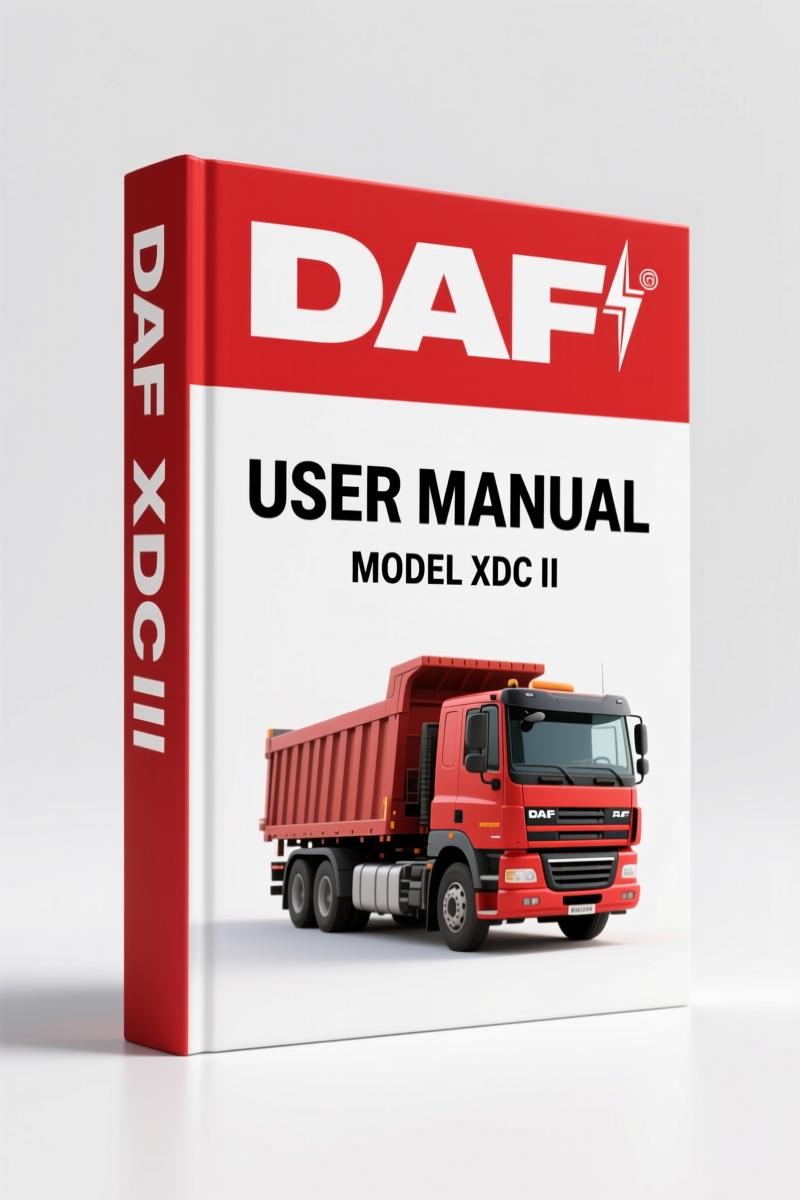
DAF XDC II 2008 User Manual – Factory Diagnostic Tool Operation
Original price was: $10.71.$7.99Current price is: $7.99.
OEM 128-page user manual for DAF XDC II diagnostic tool. Covers operation, guided diagnosis, VCI configuration, and troubleshooting.
Description
If you’re trying to diagnose a DAF truck and you’re relying on a generic OBD2 scanner and a forum post, you’re wasting time. I’ve seen it too many times. The DAF XDC II is not a standard diagnostic tool – it’s a factory-level system that talks directly to every ECU on the truck. Without the proper manual, you’ll be guessing which menu to enter. This DAF XDC II 2008 User Manual is the exact document that comes with the DAVIE XDc II runtime 5.4.2. It’s 128 pages of factory procedures, not a third-party rewrite.
DAF XDC II 2008 User Manual: The Diagnostic Core
This manual covers the entire DAVIE XDc II system: laptop, VCI (Vehicle Communication Interface), and software. Chapter 2 gives you the technical data – laptop specs and VCI ratings – on page 2-4. You need that before you even plug the thing in. Chapter 3 details each component, including the VCI battery charging and buffering on pages 3-5. That matters when you’re in the middle of a diagnostic session and the VCI dies. The manual tells you how to keep it running.
Safety Notices: Read This Before Plugging In
Section 1.1 lists important safety notices. DAF didn’t write these for fun. The VCI has radio RF exposure limits (section 3.4.3). If you’re working near sensitive equipment or fuel tanks, you need to know those distances. The manual also covers designated use in section 2.3 – using the XDC II for anything other than factory diagnostics voids the EC Declaration of Conformity (section 2.5). I’ve seen techs fry a VCI by ignoring those warnings. Don’t be that guy.
Vehicle Identification: Automatic vs Manual
Chapter 5 walks you through starting a diagnostic session. You can let the system auto-identify the truck or do it manually. Page 5-2 explains the steps. If the automatic ID fails – and it will on older models – you need to know how to select the ECU installation variant manually. The manual gives you the exact procedure. No guesswork.
Guided Diagnosis: Building a Test Plan from Fault Codes
Chapter 7 is where this manual really earns its keep. Guided Diagnosis lets you enter fault codes or symptoms, and the software builds a test plan for you. Section 7.7 covers test plan overview and execution – direct tests, symptom tests, measurement tests. You get the logic behind the system, not just button clicks. If you’ve ever been stuck with a check engine light that won’t clear, this chapter shows you how to run a structured Health Check (section 7.5.1) and pull fault memory contents (section 7.8.1).
Troubleshooting the VCI Connection
Section 11.4 is dedicated to VCI problems. There’s a self-test procedure in the VCI Configuration Manager (section 11.4.1) and an error list in section 11.4.2. When wireless communication drops – and it will in a busy shop – section 11.4.3 walks you through recovery. I’ve used this on a 2008 DAF XDC II rig and it saved me an hour of head-scratching. The manual also covers laptop self-test (section 11.2.1) for when the whole system locks up.
Get the Right Diagnostic Procedure with OEM Docs
Aftermarket diagnostic guides are full of outdated screenshots and missing menus. This is the real factory document – the same one DAF technicians use. It includes the EC Declaration of Conformity (section 2.5) and associated documents list (section 2.4) so you know exactly what you’re working with. If you’re comparing it to other truck manuals, check out the Leyland DAF EN 55, ET 70 1996 Service Manual – OEM Factory Specs for older powertrains, or the Leyland DAF A-727, A-518, 4 HP 22 1992 Service Manual – OEM Specs for transmission work. For diesel engine fundamentals, the DAF Trucks The Diesel Engine Training Manual pairs well with this diagnostic guide. And if you need to understand the basics of a Manual Transmission or the more complex Manual Transmission systems, those are separate resources – but this manual is where diagnostics start.
- Does this manual cover engine overhaul procedures?
- It is a user manual for the diagnostic system, not a service manual for the truck itself. You will not find engine tear-down specs here.
- Can I use this with a 2015 DAF XDC II?
- This edition is for runtime 5.4.2 on laptops with a softing VCI. Newer software versions may have different menus. Check your runtime version before buying.
- How do I update the software?
- Section 8.4 covers installing updates from a new Runtime CD, Application CD, or from DAVIE XDc Access. Expect the process to take 15-20 minutes and require a reboot.
- What is the EC Declaration of Conformity for?
- It certifies that the DAVIE XDc II meets EU standards for electromagnetic compatibility and safety. You need it for liability reasons if you use the tool commercially. Section 2.5 has the full text.
You need the factory manual if you’re going to diagnose a DAF truck properly – especially the XDC II system. Aftermarket PDFs miss entire sections like the VCI Configuration Manager (chapter 9) and the Care and Maintenance chapter (chapter 12) that tells you how to clean the laptop and replace the VCI battery. This is the real deal. Access the Factory Manual from AutoRepairManuals and keep it on your shop tablet. Your time is worth more than guessing.
Additional information
| Brand | DAF |
|---|---|
| Language | English |
2 reviews for DAF XDC II 2008 User Manual – Factory Diagnostic Tool Operation
Only logged in customers who have purchased this product may leave a review.
You may also like…
-
Sale!
DAF LF45, LF55 2003 Workshop Manual – Factory Torque Specs & Axle Procedures
Original price was: $64.00.$50.00Current price is: $50.00. -
Sale!
DAF LF45, LF55 2005 Workshop Manual – Factory Gearbox & Clutch Specs
Original price was: $80.00.$50.00Current price is: $50.00. -
Sale!
DAF LF45, LF55 2010 Workshop Manual – Factory Truck Service Specs
Original price was: $112.00.$70.00Current price is: $70.00. -
Sale!
DAF LF45, LF55 2005 Technical Manual – BE/CE Engine Specs
Original price was: $69.50.$50.00Current price is: $50.00.
Related products
-
Sale!

International 1000-3000 Series Operators Manual – 132 Pages of OEM Specs
Original price was: $14.40.$10.99Current price is: $10.99. -
Sale!
1993 Electrical Schematic – International 1000/3000/4000 Bus Chassis OEM Wiring Diagrams
Original price was: $29.26.$22.00Current price is: $22.00. -
Sale!

1991 Operators Manual – International Truck OEM Specs (108 Pages)
Original price was: $13.63.$10.99Current price is: $10.99. -
Sale!

Acura NSX 1991 Service Manual – 1420 Pages OEM
Original price was: $102.05.$65.00Current price is: $65.00.
Thomas B. –
This is just what I required. The file looks clean. It guided me to rebuild my DAF XDC electrical system. Saved my repair job! Thank you.
workshop_guy –
Superb resource! Quick access after checkout process. Every spec sheet is included for DAF XDC. I will definitely buy again.